
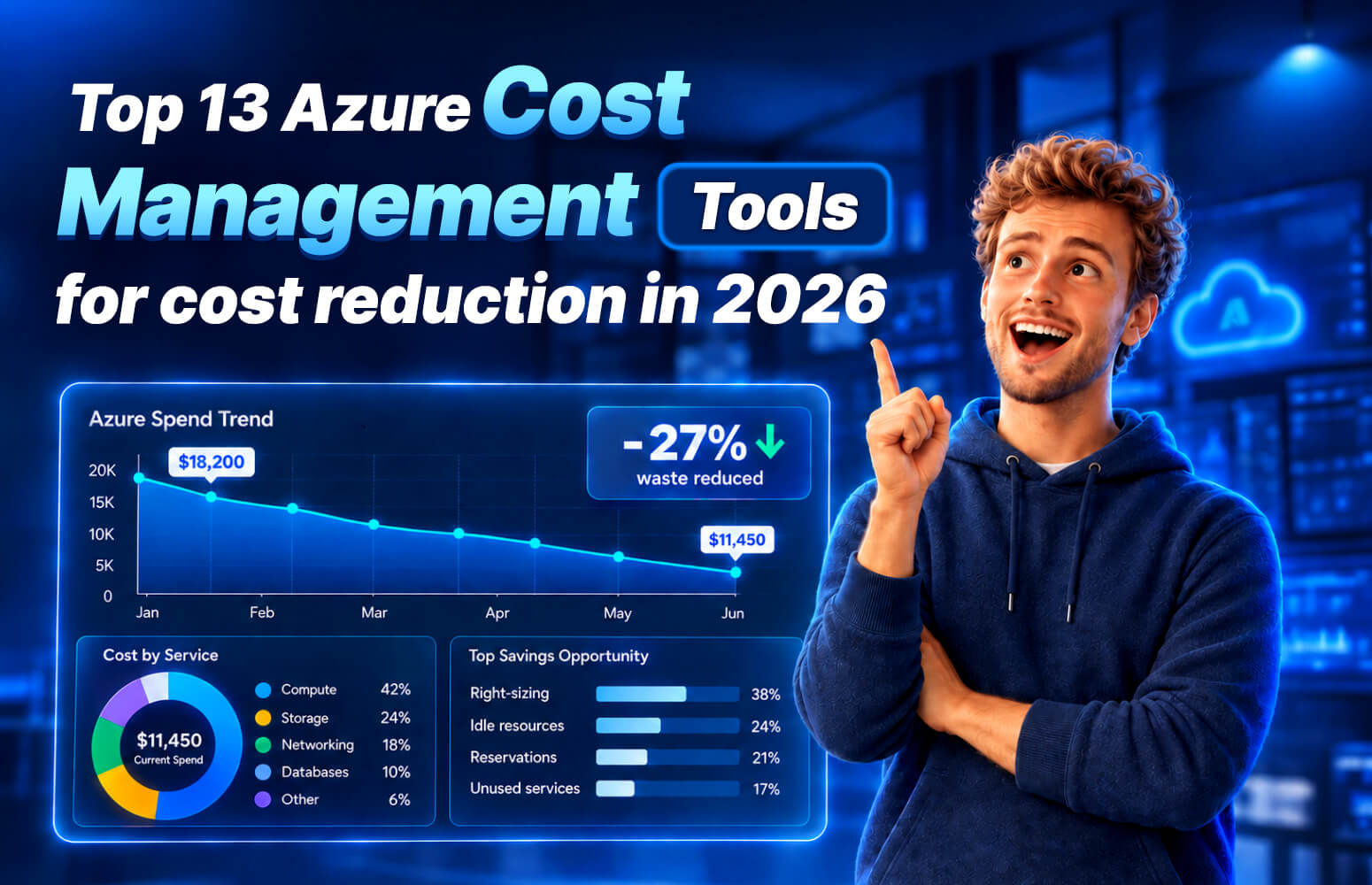
In most organizations, Infrastructure, IT, and engineering teams are responsible for managing Azure cloud costs. Due to a lack of process maturity and Azure cost management tools, organizations lose $101 to $182 billion annually, with around 27% of annual cloud spend going down the drain.
AI cost management has become the primary focus for 58% of organizations, based on the State of FinOps report. Still, in 2026, teams stay lean with 3 practitioners, while the organization’s cloud spend ranges from $15M to $100M annually.
Azure’s built-in Cost Management is a good starting point if you have a single-subscription environment and want basic cost visibility. However, it often falls short as you scale, have a lean team, and your Azure footprint grows into AI. That’s when you’ll look for third-party tools.
This guide compares 13 tools to help you choose the best fit for your organization.
What are Azure cost management tools?
Azure cost management tools help you gain cost visibility, assign costs to the right owners, and reduce waste with AI-driven automation before costs overrun your cloud budget.
There are three broad categories of Azure cost management tools:
- Native tools: Built into the Azure portal, which include Azure Cost Management + Billing, FinOps toolkit, and Azure Advisor.
- Azure-specialist tools: Built for Azure’s billing structure exclusively
- Multi-cloud tools: Built to track cloud costs of Azure alongside other cloud platforms like AWS, GCP, and SaaS
Pick one based on your needs and whether you use Azure as primary cloud or alongside other cloud platforms.
Key takeaways
- The FinOps Foundation reports that workload optimization and waste reduction are the top priorities. AI cost management stands out as the primary skillset organizations want to adopt.
- Native Azure cost management tools include built-in Microsoft Cost Management and Azure Advisor, which are free and offer basic cost management and optimization capabilities.
- Azure-specialist tools like Turbo360 and CloudMonitor give users extensive cloud management capabilities, like granular cost allocation, cross-subscription visibility, unit economics, automated optimization, and much more.
- Multi-cloud tools like Finout, CloudZero, and Cloudability provide cloud cost management for several providers like Azure, AWS, GCP, and SaaS.
Want to automate Azure waste reduction?
Book a demo with Turbo360 to see it in action as it spots idle resources, automates rightsizing, and optimizes your environment while you focus on your core operations.
13 best Azure cost management tools in 2026
Here is a list of the best Azure cost management tools in 2026. We shortlisted these tools as user reviews on G2, Trustpilot, Reddit, and other review platforms show that they deliver real cost savings.
1. Turbo360: For organizations primarily using Azure and managing multiple subscriptions
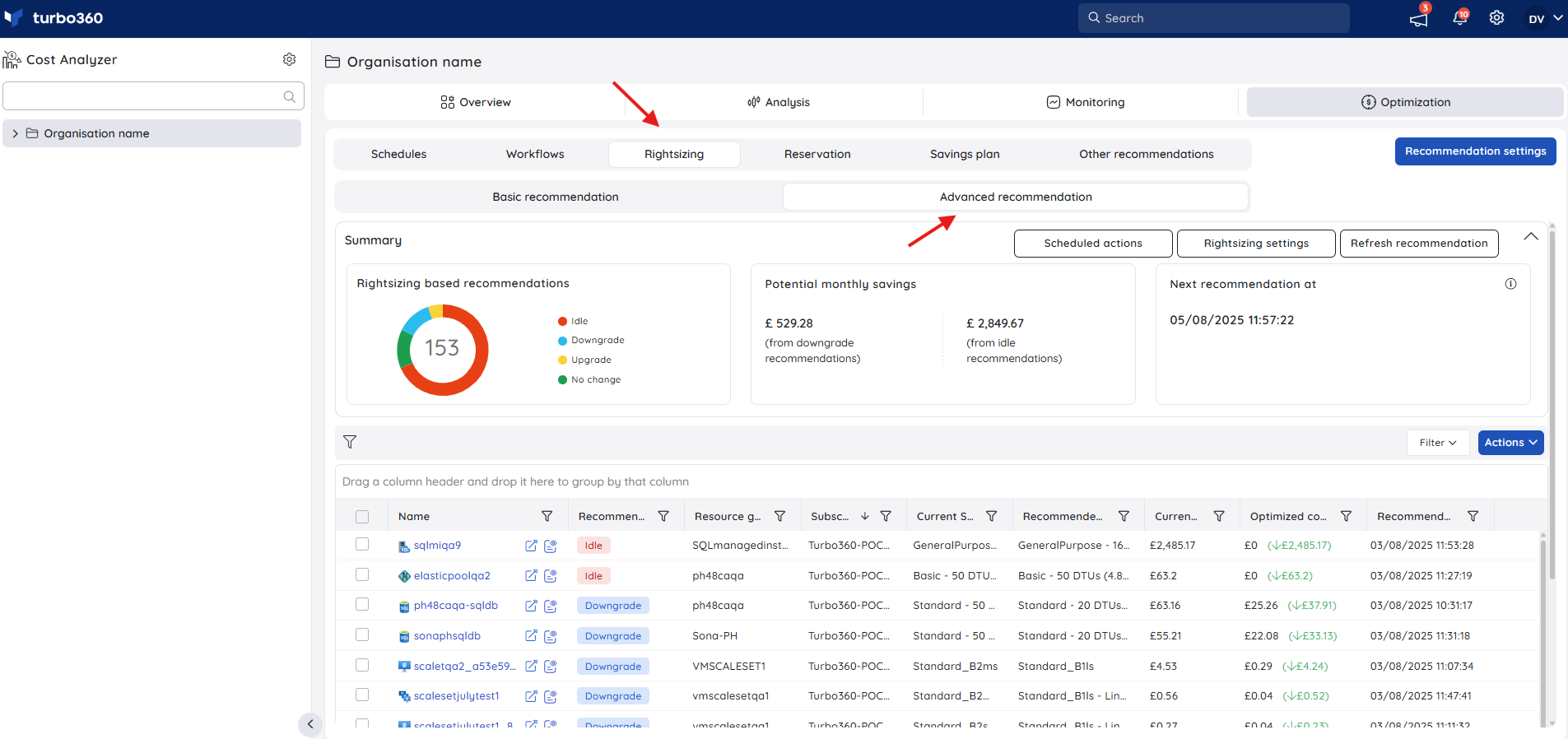
Turbo360 is an AI-powered cost management and FinOps platform that is exclusively for the Microsoft Azure ecosystem.
Managing more than $500 million in Azure spend for its customers, Turbo360 stands out due to the ease with which it lets you manage a multi-tenant or multi-subscription environment, often a frustrating thing to do with the native Azure tools. Additionally, unlike other multi-cloud tools on this list, Turbo360 doesn’t split its focus across AWS, GCP, and Azure. Its AI agents, rightsizing, reporting, and other features are built around Azure’s billing structure, pricing model, and subscription hierarchy.
Key Features
- Multi-subscription governance: Collects cost data from all subscriptions and tenants and fixes inconsistent tags to allocate it to the right department
- AI-powered rightsizing: Finds opportunities to resize and identifies idle resources to bring down cloud costs
- Early anomaly detection: Alerts you of cost spikes as soon as they occur
- Choosing the right plan: Provides recommendations to pick the term and scope of Azure Reservation and maximize Hybrid Benefit savings based on your cloud usage
- Multi-tenant visibility: Get unified cost visibility and reporting for Managed Service Provider (MSP) or Cloud Solution Provider (CSP) managing multiple client companies
- Reports to back decision-making: Use built-in templates to track finances to support expense distribution
Pricing: Turbo360 offers a free 14-day trial. Then customers can either pick:
- A commercial plan for direct Azure customers with an in-house FinOps team, starting from $249/month
- A custom MSP/CSP volume plan that charges a percentage of Azure spend
See the pricing page for more details.
Limitation: If the majority of your spend is in AWS, GCP or Oracle, then Turbo360 does not support multi-cloud at this point in time.
2. Azure cost management: For new single-subscription environments that need basic analysis for budgeting
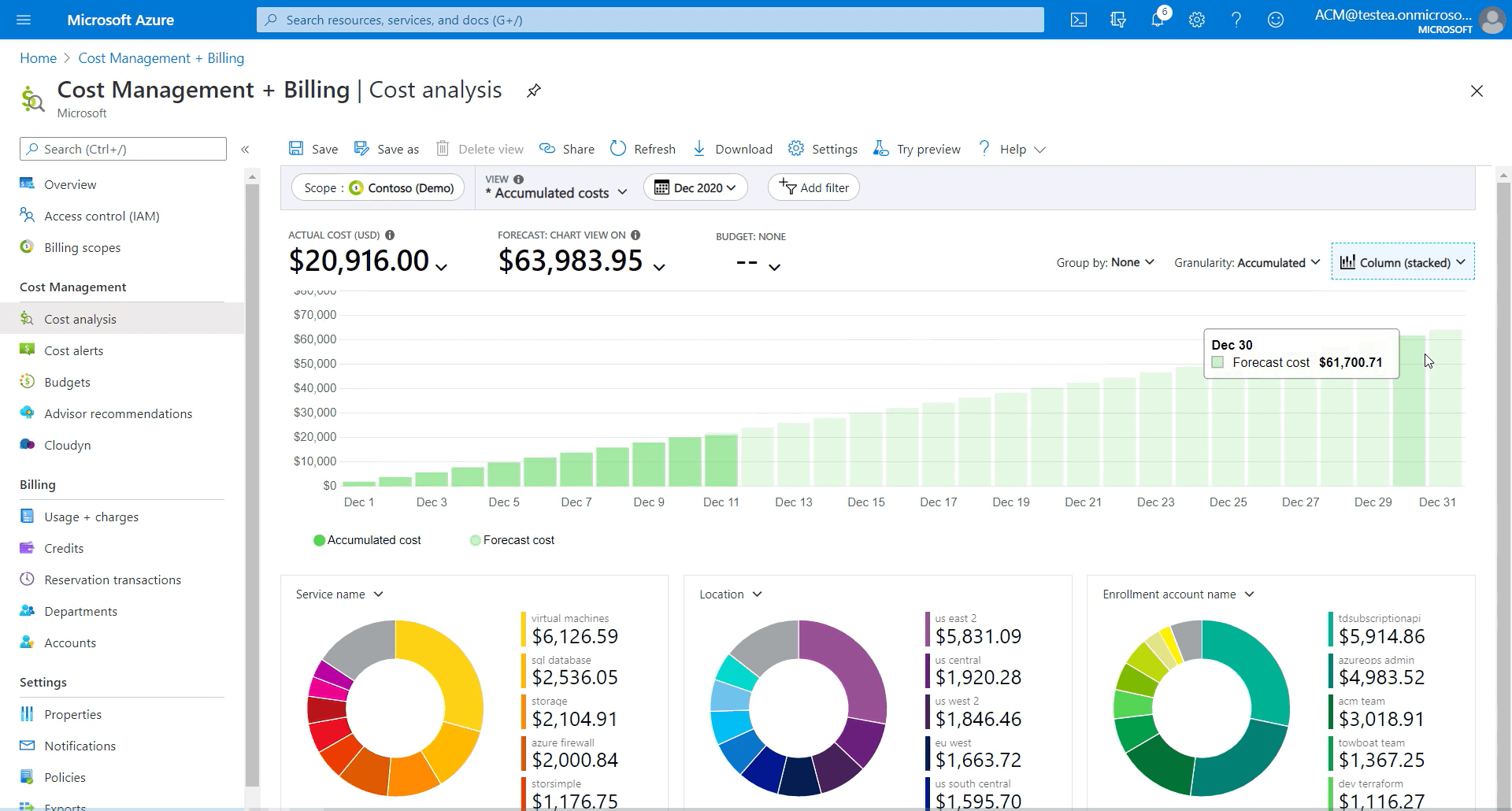
Microsoft Cost Management is a native Azure tool for beginner FinOps teams to monitor cloud spend and optimize directly in the Azure portal.
Given it’s built into the Azure portal as soon as you create a billing account, resource, or management group, you get access to Azure Cost Management without any need for separate integration. This native tool covers basic FinOps features as mentioned below:
Key Features
- Cost analysis: Check your Azure cost spend and get basic reporting across all your billing accounts, subscriptions, resource groups, and management groups
- Budget alerts: Get anomaly detection alerts and set thresholds for reservation utilization
- Allocate cost: Standardize tagging practices to allocate costs across teams, departments, and subscriptions
- Exports and APIs: Automatically send cost data to any third-party tool without needing manual downloads
- Basic recommendations: Get in-line suggestions of cost optimization from Azure Advisor
- Power BI integration: Connect Power BI for advanced reports to aid decision-making
Pricing: Free to use
Limitation: Azure Cost Management has limitations in managing large-scale cloud environments because it lacks automation and doesn’t provide a unified view of all subscriptions. You will need to maintain a manual record or a holistic spreadsheet.
3. CloudHealth: For AWS-heavy teams managing multi-cloud environments
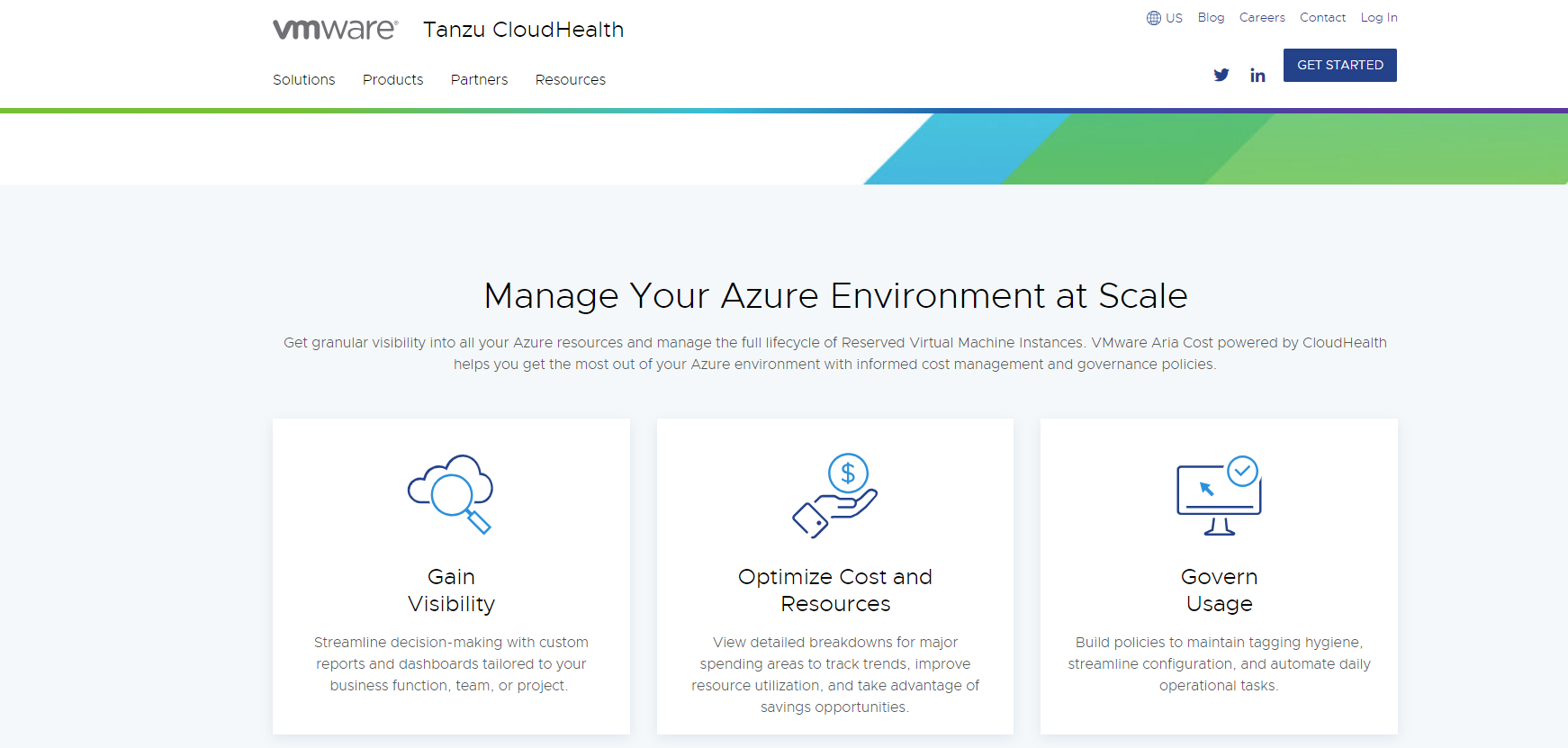
CloudHealth is a well-known multi-cloud cost management platform, particularly made for teams using Azure with other cloud providers like AWS and GCP.
Now under Broadcom, CloudHealth is one of the oldest players in our list. It provides deep customizable reporting capabilities and a strong governance policy engine. It’s a great choice for organizations that prioritize role-based access and governance policies over automated optimization.
Key Features
- Customizable reporting: Tailored reports and dashboards for engineering, IT, and finance stakeholders
- Cost allocation and chargeback: Organizes spend by business unit, project, and team across multi-cloud accounts
- Governance policies: Automated policy enforcement to keep spend and compliance in check
- Optimization recommendations: Analyzes usage patterns and suggests rightsizing and waste-reduction actions
- Multi-cloud support: Unifies AWS, Azure, and other providers in one view, with Azure as one of several supported clouds
Pricing: You’ll need a custom quote from the partner or distributor.
Limitation: Users often mention frustration with roadmap uncertainty and long wait times for new updates. Plus, users also note that CloudHealth is better suited to environments that primarily use AWS, as it lacks comprehensive capabilities to support GCP or Azure functions. Read more about user sentiment here.
4. CloudMonitor: For Azure-centric enterprises who also run AWS and want fixed MACC-eligible pricing
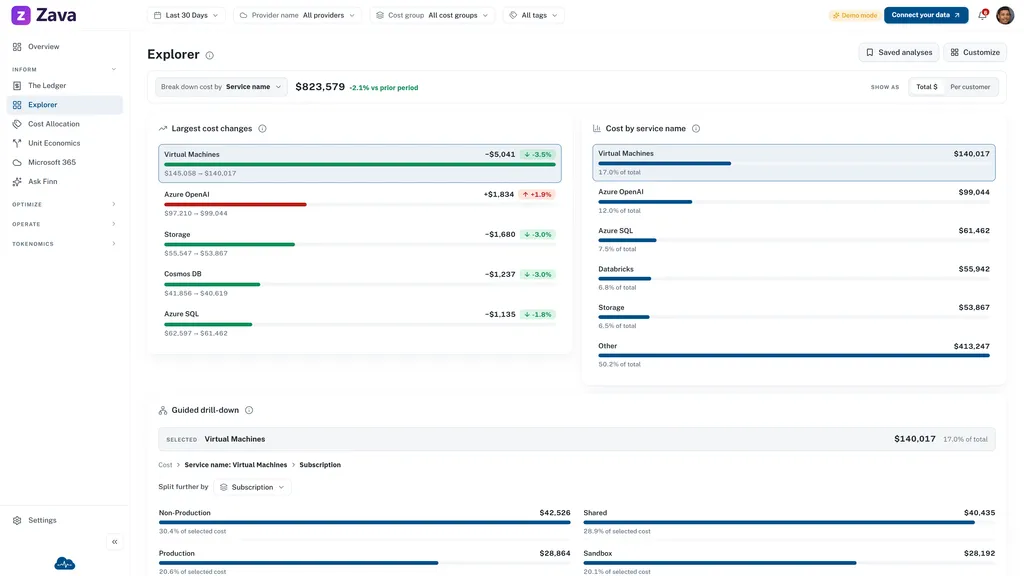
CloudMonitor.ai is a cloud cost management platform natively built for Azure and sold officially through the Azure Marketplace, while also providing multi-cloud cost management for AWS.
CloudMonitor gives you a dynamic list of immediate cost-saving opportunities, ranked by potential ease of implementation and ROI. Its major differentiator is tracking AI spend alongside cloud infrastructure costs. This means you see usage trends and cost accumulation from Azure OpenAI, Anthropic (Claude), GitHub Copilot, and Microsoft 365 Copilot in the same dashboard that shows you your cloud usage and spend.
Key Features
- Unified dashboard: Get a single view from macro level to individual resources, allocated by cost groups and owners
- AI-powered anomaly detection: Get alerts as per your set thresholds with severity, impact, and the cause behind it
- Optimization recommendations: All savings opportunities like rightsizing, reserved instances, idle resources, and Azure Hybrid Benefit are ranked based on impact and ease of implementation
- Ask Finn: A conversational AI agent to immediately answer your cloud cost-related questions
- Cost accountability: Track who’s responsible for the cloud bill and fairly allocate cloud costs
- Track AI spend: Track costs stemming from your AI use for OpenAI, Anthropic, GitHub Copilot, and Microsoft 365 Copilot
Pricing: Unlike other tools on this list, CloudMonitor does not charge a percentage of Azure spend and provides predictable, fixed pricing for up to $3 million in Annual Azure Consumption Revenue (ACR). It offers three pricing plans:
- Starter plan to monitor up to $200K ACR, starting at $500/year
- Professional plan to monitor up to $800K ACR, starting at $3,200/year
- Enterprise plan to monitor up to $3 million ACR, starting at $18,500/year
You can get a custom quote for more than $3 million ACR. See detailed pricing here.
Limitation: Users note that GCP support is still in the roadmap phase. And while the platform offers a rich feature set, you need to rigorously follow standardized internal tagging practices and unit economic boundaries to make the most of its deeply customized setups.
5. Ternary: For large enterprises with scaled FinOps teams
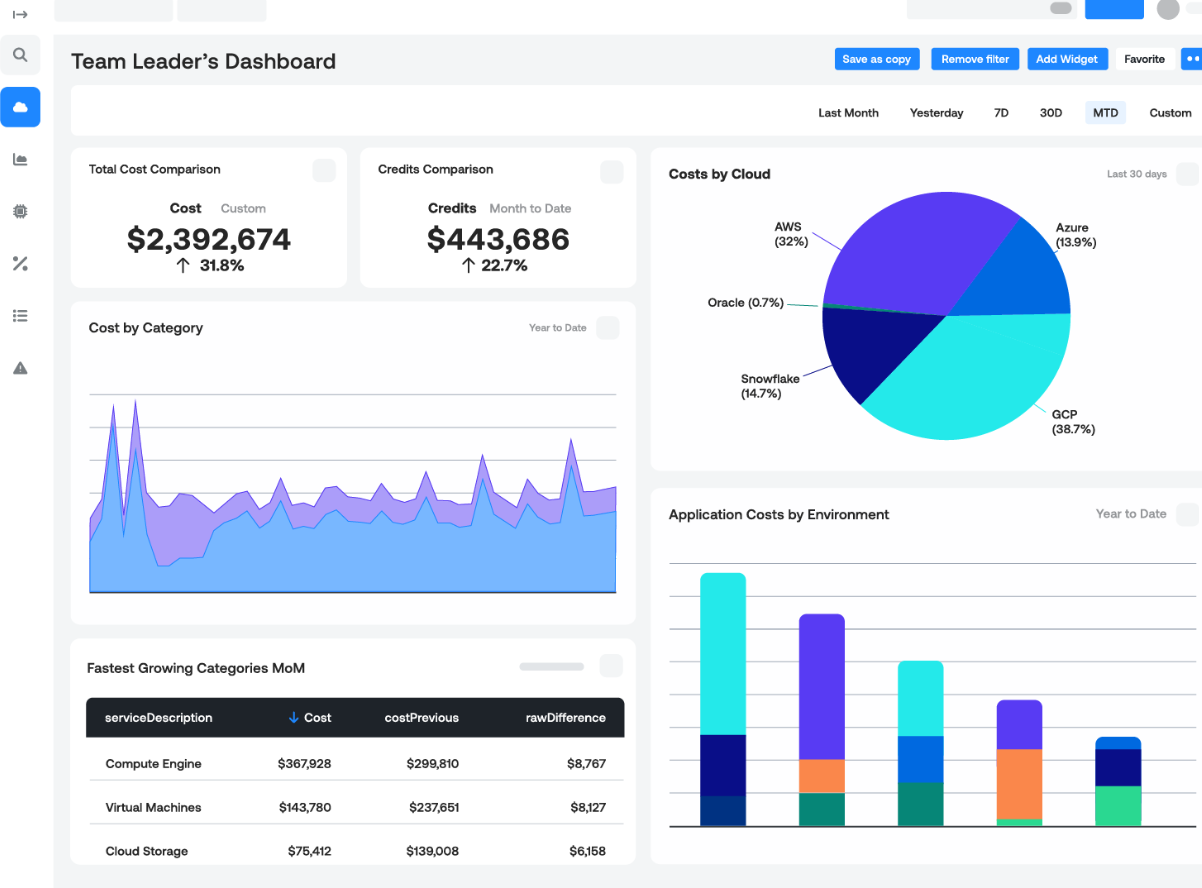
Ternary is a multi-cloud cost management platform, made specifically for the finance teams of large-scale enterprises.
Ternary shows all cloud, AI, and SaaS costs in a single auditable ledger mapped to GL codes and cost centers, as CFOs prefer for FP&A. The AI service spend is separated from general compute. Plus, it integrates with ERPs like SAP, Oracle, and Workday.
Key Features
- ERP-standardize data: Automates translation of compute hours, API tokens, and license fees into GL codes and cost centers
- Centralized multi-cloud and AI cost management: Gathers billing data from AWS, GCP, and Azure, as well as OpenAI, Anthropic, and others
- Automated tag correction: Automatically fixes poor and inconsistent tags imported from native tags
- Run-rate forecasting: Tracks credit burn against contract end dates and forecasts spend by team
- Anomaly detection and case management: Alerts whenever there is unusual spend and lets your teams track resolution
Pricing: Pricing details are not publicly disclosed; you can book a demo to request a quote.
Limitation: Because Ternary is a newer player than others on this list, it doesn’t have an extensive enterprise track record.
6. Umbrella: For startups and growing teams requiring a clean, lightweight tool
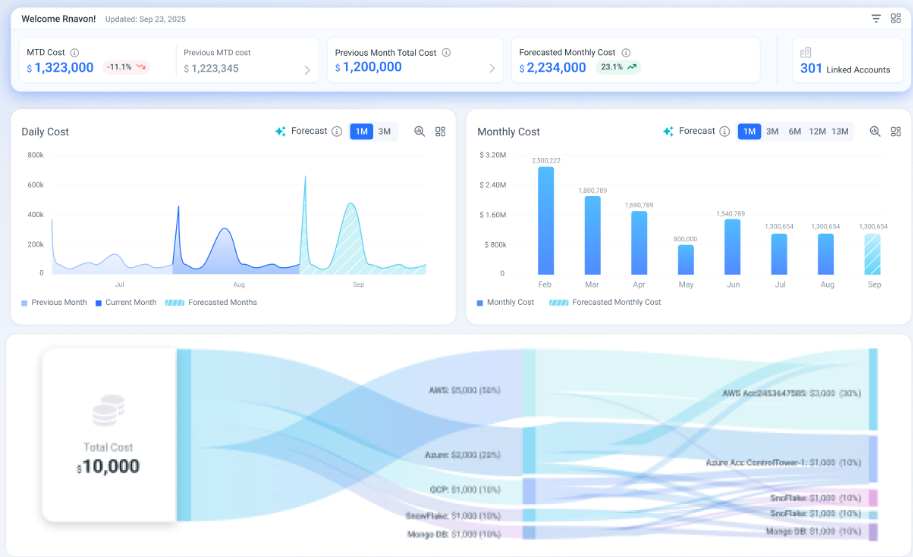
Umbrella (formerly known as Anodot) is an AI-based cloud cost management platform that helps SMEs manage cloud costs for Azure and other cloud environments.
Umbrella uses machine learning technology to detect anomalies and cites a 98.5% median forecast accuracy. Users can also manage Kubernetes and SaaS spend using the cost management tool.
Key Features
- Anomaly detection using AI: Artificial intelligence identifies any unusual spend as it happens and sets alerts right away
- Optimization recommendations: For every identified waste resource, get instant corrective recommendations
- Multi-tenant support: Lets MSPs track and manage cloud costs across multiple accounts
- Conversational Generative-AI assistant: Ask its ‘CostGPT’ any cost queries and get instant answers
- GreenOps: Track carbon emissions and energy use from your cloud usage
Pricing: Pricing details are not public. You can request a demo and ask for a quote.
Limitation: Reviews show that Umbrella is primarily for AI-powered anomaly detection, with a focus on analytics and cost optimization. However, it lacks multi-subscription guardrails, such as role-based permissions, templating, and governance, making it unfit for large organizations that need granular access control.
7. Cloudability: For Large SaaS vendors and MSPs with dedicated IT operations teams
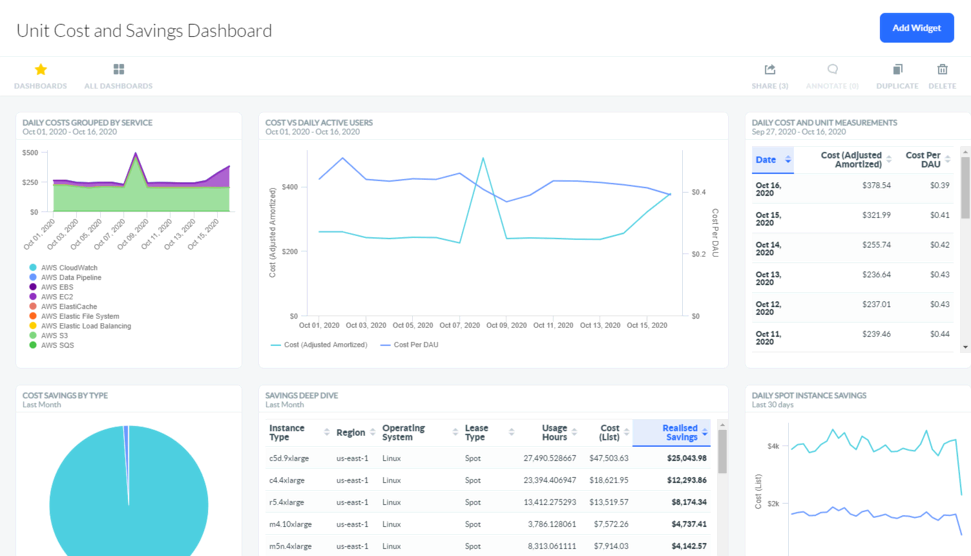
IBM Cloudability, previously branded under Apptio, is a cloud financial management platform built to give cost visibility, data-backed budgeting suggestions, and chargeback for large organizations.
Cloudability’s strength is business mapping, as it claims 100% cost allocation and reports that customers achieve up to 90% commitment-discount coverage, along with an average 30% reduction in cloud unit costs.
Key Features
- AI-backed budget forecasting: Build your cloud budget from the ground up and get alerts whenever there are risks of overspending
- Accountability at scale: Business-mapped chargeback that gives personalized views for each team
- Anomaly detection: Get alerts for irregularities with cloud spend as they occur
- Multi-cloud support: Get combined insights on spend for AWS, Azure, GCP, and other providers
Pricing: IBM doesn’t publicly disclose Cloudability pricing. You can request custom pricing and sign up for a free trial.
Limitation: While users praise strong reporting and financial governance, they criticize the lack of active optimization and waste reduction when compared with other purpose-built optimization tools.
8. Finout: For organizations wanting cloud and SaaS spend management together
Finout is an AI-powered FinOps platform that lets you track and manage cloud costs from various sources in a single interface.
Finout’s AI agents organize cost data for cloud, Kubernetes, and SaaS vendors with virtual tagging that doesn’t require a manual tagging cleanup. It also tracks AI spend with unit economics like cost per token, request, or feature for Bedrock, Vertex AI, OpenAI, and Anthropic.
Key Features
- AI cost tracking: Monitor individual costs from AI services, direct provider contracts, and token-based developer tools
- Anomaly detection: Autonomous agents continuously detect and investigate unusual cost patterns
- Shared cost allocation: Fairly splits shared infrastructure costs for each team and department
- Billy AI assistant: NLP AI chat that clears cost questions on-demand
Pricing: Finout doesn’t publish pricing publicly. However, you can try it for free and request a quote.
Limitation: Finout doesn’t focus much on Azure-native billing structures (EA/MCA/CSP) because it is a multi-cloud platform, and lags behind some other specialized Azure cost management tools on this list.
9. Flexera One: For large enterprises needing hybrid and multi-cloud cost management
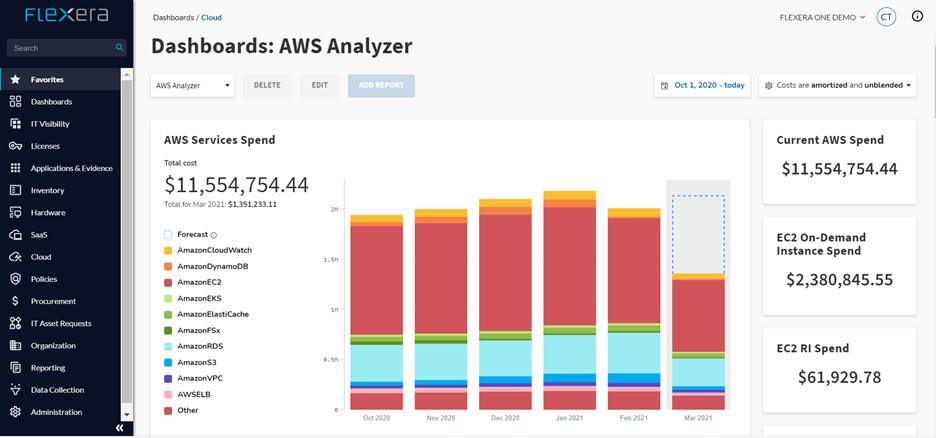
Flexera One is a hybrid and multi-cloud cost optimization platform that pairs automated optimization recommendations with policy-based action.
Flexera One is built on Flexera’s long-time expertise in IT asset management. What sets it apart is its policy-based automation engine, which includes more than 90 built-in policies that let you start saving automatically by identifying opportunities like idle instances or discount optimization.
Key Features
- Supports hybrid environment: Gives you cloud spend in combination with on-premises software and SaaS licensing to calculate TCO
- Cost tracking and alerts: Reports spending anomalies with budget controls
- Optimization for discounts: Identifies idle instances and shows where you can save money with commitment-discount
- Governance for multicloud environments: Get a holistic view of AWS, Azure, GCP, and on-site IT environments under a single roof
Pricing: Flexera does not disclose pricing on its website. You may contact them for a quote.
Limitation: While Flexera offers a solid feature set for hybrid environments, users often complain about a steep learning curve, complex setup, and lags in reporting and navigation when handling larger data volumes.
10. Kalibr8: For Azure MSPs, CSPs, and distributors managing many client tenants from one place
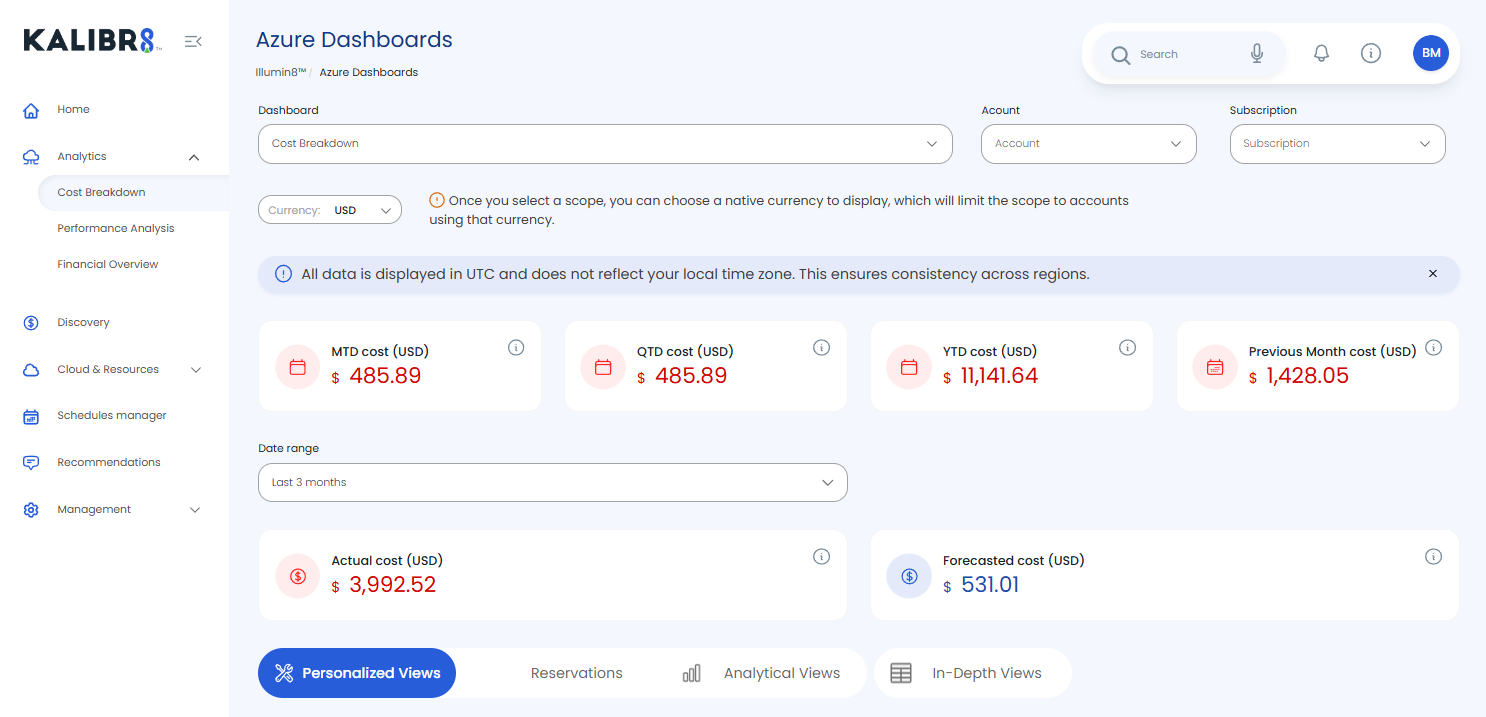
Kalibr8 is a FinOps and CloudOps platform built specifically for Azure Managed Service Providers, CSPs, and indirect CSPs, rather than for direct enterprise buyers. Its whole design assumes you’re managing cloud cost across many customer tenants at once, so everything runs from a single pane of glass that spans your entire book of business instead of one subscription.
What sets it apart is its channel-first, multi-tenant model. Two modules do the heavy lifting. Navig8 is an automatic discovery service that scans every client environment through a five-step process and surfaces decommissioning, rightsizing, and reserved instance opportunities in minutes, then packages them into a savings report you can take straight to the customer. Illumin8 is the analytics layer, using machine learning to turn raw billing and usage data into spending trends, forecasts, and budget tracking. Together they let an MSP move from reselling Azure to acting as a strategic cost advisor, which is where the margin and the stickier client relationships sit.
Key Features
- Multi-tenant single pane of glass: Monitor usage, spend, and optimization across every client tenant from one centralized dashboard built for the MSP model
- Navig8 discovery engine: Automatically finds decommissioning, rightsizing, and reserved instance savings across customer environments and delivers a detailed report in minutes
- Illumin8 ML analytics: Machine-learning-driven insights into spending trends, cost forecasting, and budget tracking to prevent billing surprises
- Automated optimization policies: Apply standardized, ongoing optimization and governance policies across all tenants to control spend without manual effort
- Billing reconciliation and reporting: Reconcile Azure billing and generate automated, per-customer reports for client delivery and chargeback
- Anomaly and fraud detection: Flag unusual usage and cost spikes across the estate before they compound
Pricing: Kalibr8 does not publish list pricing on its own site, so you’ll need to contact them or a distributor for a quote. Through resellers such as Sherweb, it’s offered on a usage-based model starting at around 4% of monthly Azure spend, with the percentage decreasing as spend grows. Because the model scales with consumption, the effective cost differs meaningfully from the fixed-fee tools elsewhere on this list, so confirm current terms directly before committing.
Limitation: Kalibr8 is purpose-built for the MSP, CSP, and distributor channel, so a direct enterprise FinOps team managing its own single estate may find the multi-tenant framing more than it needs. Its depth is concentrated in Azure, and unlike some multi-cloud platforms here it isn’t positioned for broad AWS or GCP cost management. It also leans on ML-driven insights and automation rather than a conversational AI agent, so if a chat-style “ask a question, get an answer” experience is a hard requirement, that’s worth verifying with their team.
11. CloudBolt: For strict governance and automation needs across hybrid and multi-cloud
CloudBolt is a hybrid and multi-cloud management platform that allows companies to track, manage, and optimize cloud and on-premises IT environments.
CloudBolt focuses on automation and provisioning over purely cost reporting. The company claims significantly quicker provisioning and a large reduction in manual tasks. This platform pairs with its companion product, StormForge, particularly for Kubernetes-specific savings.
Key Features
- Automated provisioning: Acts like a vending machine for resource delivery without needing manual setup for tech infrastructure
- Policy-based governance: Set guardrails to control spending without limiting to a single cloud service provider
- Billing accuracy: Ensures customers of MSP are invoiced correctly
- Kubernetes optimization: Combines with StormForge to deliver Kubernetes-specific cost savings
- Large set of Integrations: Lets you plug in 200+ tools in your existing workflow
Pricing: Pricing details not publicly disclosed; however, you can try it out with its free account and then request a quote for enterprise-wide usage.
Limitation: Cloud cost management isn’t CloudBolt’s main focus; it’s part of a broader infrastructure-governance platform.
12. Hyperglance: For real-time operational visibility through visual topology
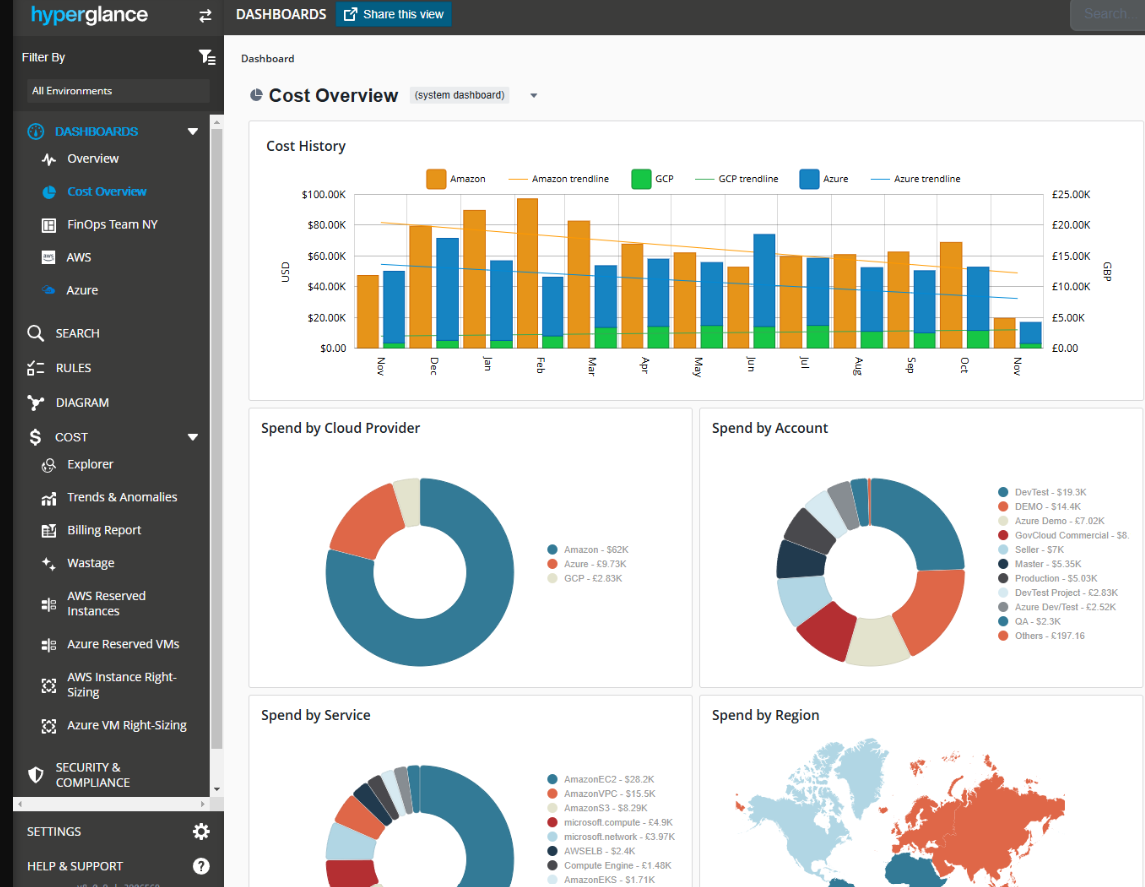
Hyperglance is a self-hosted cloud visibility and FinOps platform that provides a real-time, interactive visual diagram of your AWS, Azure, GCP, and Kubernetes environment.
Hyperglance launches within your environment and connects agentlessly to the cloud providers you’re using with APIs. This appeals particularly to teams with data-residency requirements or strict security requirements.
Key Features
- Live topology: Auto-generation of a real-time visual representation of your multi-cloud and Kubernetes environment
- Cost analytics: Identifies waste, detects anomalies, and provides cost forecasting
- Compliance tracking: Get real-time alerts in line with frameworks like NIST, Well-Architected, and PCI-DSS
- Searchable inventory: Search through the environment data within the interface
Pricing: Hyperglance gives a 14-day trial, just like Turbo360. It offers five monthly pricing plans that depend on the number of resources, as stated below:
- $899/month for up to 500 resources
- $1,459/month for up to 1,000 resources
- $3,144/month for up to 3,000 resources
- $4,492/month for up to 5,000 resources
- Custom pricing for 5,000+ resources
Check out for more details on Hyperglance pricing here.
Limitation: Users often report that Hyperglance costs too much for smaller teams, making it hard for SMBs to budget. They also report lag when managing large inventories and data sets.
13. CloudZero: For connecting cloud cost to business outcomes in multi-cloud businesses
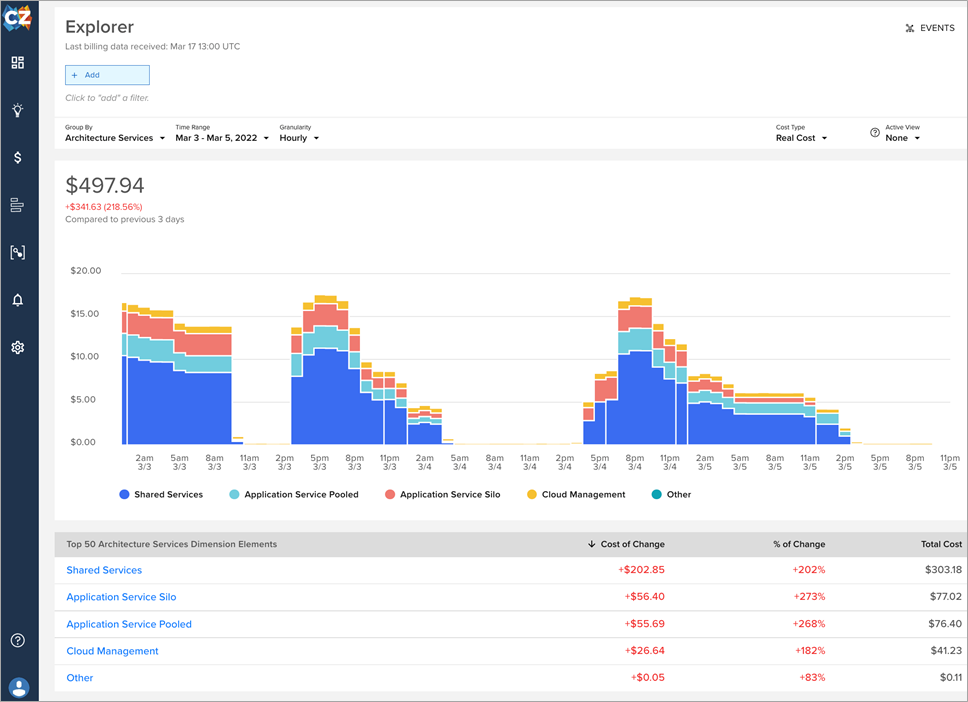
CloudZero is a cloud cost intelligence tool for FinOps teams that ties cloud spend to measurable business outcomes and unit economics.
CloudZero moved its focus from engineering-led cloud cost optimization to AI cost governance and attribution. It connects each penny to customers, features, and models in real time. However, for those using standard Azure, AWS, or GCP setups, it still offers multi-cloud cost management and real-time anomaly detection.
Key Features
- Granular cost allocation: Links every dollar spent to where it comes from, be it customers, features, workflows, and models
- Real-time visibility: Streaming telemetry shows all the spend in real-time as it happens for fast anomaly detection
- Unit economics: All costs are reported as per set metrics like cost-per-customer, cost-per-feature, and cost-per-transaction
- Multi-cloud and multi-provider support: Covers AWS, Azure, GCP, and major AI providers like Anthropic and OpenAI
- Engineering-first reporting: Developers can see how much their code cost to run without leaving the coding environments and AI agents
Pricing: CloudZero offers subscription-based pricing; however, it doesn’t disclose it to the public. You need to request a quote.
Limitation: While user sentiment around CloudZero is largely positive for its unit economics and cost allocation without heavy tagging, users report complex setup and maintenance, lag in cost data availability, and limited dashboard customization.
Top Azure Cost Management Tools: A Quick Comparison
If you have less time to read through each tool, here’s a quick side-by-side comparison of all 13 tools:
| Tool | Best for | Azure depth | Multi-cloud | AI agents | MSP ready | Pricing model |
| Turbo360 | Azure orgs, MSPs & CSPs | Deep | Azure | Yes | Yes | From $249/mo |
| Azure Cost Management | Single-subscription basics | Native | – | Preview (Copilot) | – | Free |
| CloudHealth (Broadcom) | AWS-heavy multi-cloud teams | Partial | Yes | Limited | Limited | Not public |
| CloudMonitor | Azure-first orgs with AWS footprint | Partial | Yes | – | – | $500/year |
| Ternary | Multi-cloud FinOps at scale | Partial | Yes | Partial | – | Not public |
| Umbrella (ex-Anodot) | Startups | Partial | Yes | Partial | – | Not public |
| Cloudability (IBM/Apptio) | Large-scale finance teams | Partial | Yes | Partial | Limited | Not public |
| Finout | End-to-end cloud & AI FinOps | Partial | Yes | Yes | – | Not public |
| Flexera | Large hybrid, SAM + FinOps | Partial | Yes | Partial | – | Not public |
| Kalibr8 | Azure MSPs & CSPs, multi-tenant | Deep | Azure | Partial | Yes | From 4% of monthly Azure spend |
| CloudBolt | Hybrid/multi-cloud governance | Partial | Yes | Partial | – | Not public |
| Hyperglance | Real-time visual/ops visibility | Partial | Yes | – | – | From $899/mo |
| CloudZero | Cost to business outcomes | Partial | Yes | Partial | – | Not public |
AI Agents are becoming a non-negotiable in Azure Cost Management Tools
Ask around at companies spending over $1M a month on Azure and you’ll notice something odd. The FinOps team is tiny. The State of FinOps 2026 report from the FinOps Foundation puts real numbers behind this. Organizations under $15M in annual cloud spend run with an average of just 2 practitioners and 1 contractor, and even teams in the $15M to $100M range only move up to 3 practitioners and 1 contractor. A company burning $1M a month sits squarely in that first band, so you’re looking at two, maybe three people in total.
And that’s the whole team expected to keep on top of cost analysis, review spend across every subscription and tenant, spot anomalies before they land on the invoice, forecast where next month is heading, dig out wasted spend, and flag rightsizing opportunities. It’s far more work than a group that size can realistically get through, and buying another dashboard doesn’t fix it. It just hands them one more thing to check.
That bandwidth problem is what makes AI agents genuinely useful here, rather than a buzzword. Normally a practitioner has to pull a report, scan the rows, and work out for themselves what actually changed. An agent does that part for them. It reads the environment, tells you what moved and why in plain English, and puts the optimization actions in order of what’s worth doing first. A question that used to eat half a day becomes something you just ask. For a two-person team, that’s the difference between reacting late and staying ahead of the spend. It’s also why AI agents have quietly shifted from a nice extra to something buyers now put on the must-have list when comparing Azure cost tools. If a platform doesn’t have one, it tends to get cut early.
How to choose the right Azure cost management tools
As you read, you’ll decide on a tool that meets your organization’s unique needs. But these ten criteria that separate a genuine cost management platform from a basic reporting tool:
- Multi-subscription visibility: Single-pane governance prevents blind spots in complex environments
- AI cost management: The tool should be able to track and optimize Azure OpenAI and Foundry costs
- Cost allocation and chargeback: Drives accountability and accurate internal billing
- Budget governance: Prevents overruns before they hit the invoice
- Executive reporting: Reduces time spent building monthly reports manually
- Proactive cost monitoring: Catches unexpected cost spikes before end-of-month billing
- Cost analysis depth: Enables root cause identification for cost increases
- Governance automation: Reduces manual overhead in large Azure environments
- Multi-stakeholder access: Each team sees what they need without exposing sensitive data
- Chargeback and showback support: Enables finance teams to hold business units accountable for cloud spend
- FinOps framework alignment: Ensures the tool supports structured cost management maturity, not just one-time reporting
AI Cost Management Is the Top focus teams want to add
This isn’t just a hunch from a few vendors. When the State of FinOps 2026 report asked practitioners which skillsets they’re looking to add over the next 12 months, AI cost management came out on top at 58%, ahead of every other capability including FinOps tooling at 43% and engineering or automation development at 40%. In other words, more teams are prioritizing AI in their cost practice than anything else on the list. Put that next to the team-size numbers and the picture is hard to miss. The people doing this work are stretched thin, they know it, and the capability they most want to bring in is the one that helps a small team cover more ground. That’s the demand signal buyers are acting on when they shortlist Azure cost tools, and it’s why an AI agent has stopped being a differentiator and started becoming table stakes.
Making the most of the Azure cost management tools
By now you have a wide variety of Azure cost management tools to compare side-by-side, from Azure-specialist platforms like Turbo360 to multi-cloud suites like Cloudability and Flexera. However, tooling is just half the equation. Real cost control comes when finance, engineering, and leadership share ownership of Azure spend. The right tool simply gives each team the visibility and accountability to act.
Choose the platform that matches your organization’s structure, then build the governance culture around it. Many tools on this list don’t offer direct pricing, making it difficult for organizations that need budget predictability.
Turbo360 makes pricing very transparent with its clear subscription model. Additionally, our free trial lets you test the platform and its capabilities for yourself. We demand no commitment until you see value.
Request a demo to see how the product works in real time.