
Track every transaction across your integrations
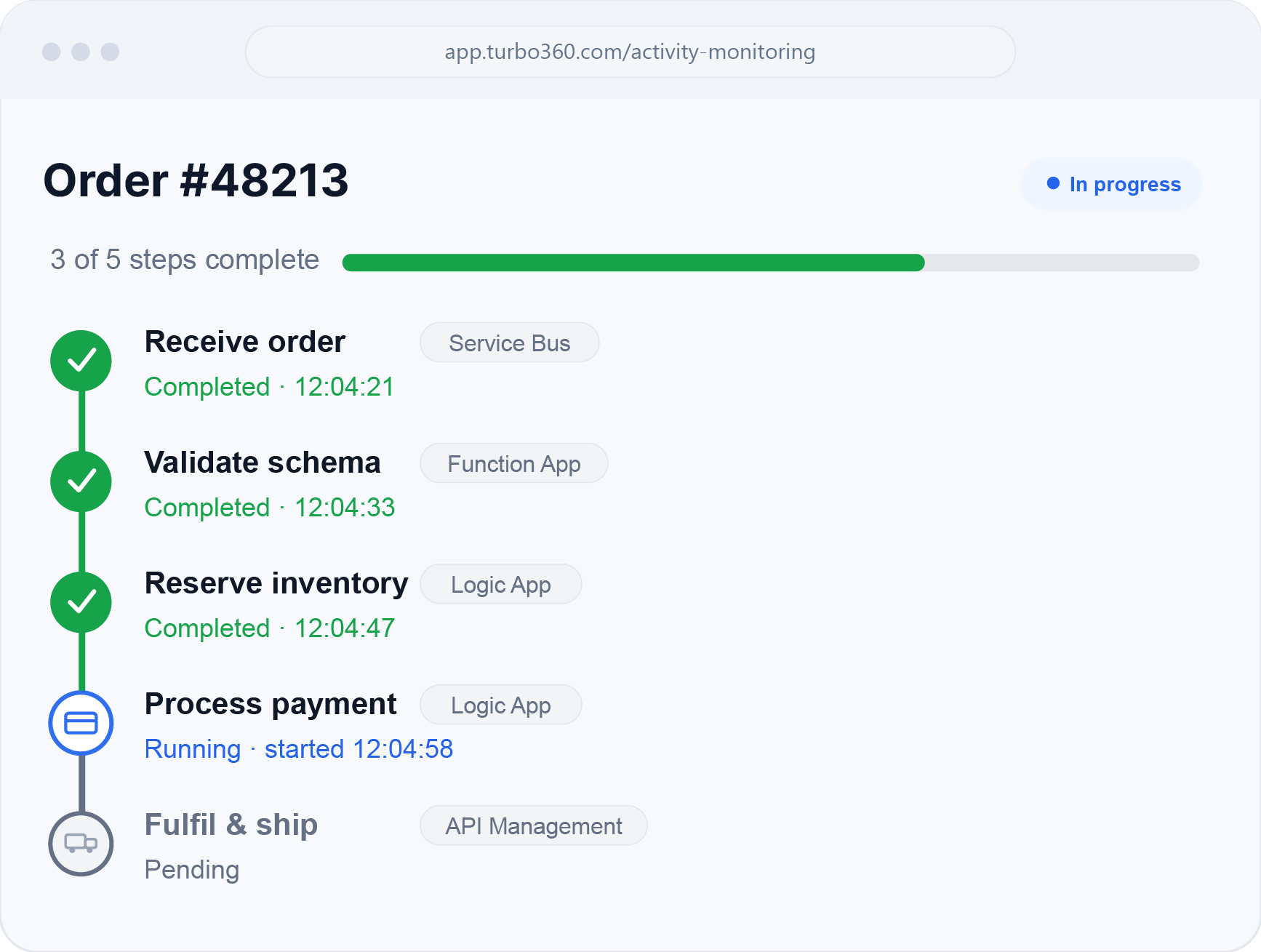
Business Activity Monitoring follows messages end to end across your integration landscape, so support and integration teams can pinpoint exactly where a transaction failed.
100%
message traceability
end to end
Minutes
to locate a failed
transaction
98%
reduced tickets to
answer a status query
The outcome
Let business teams answer “where is
my transaction?” on their own
The goal is simple: give support, operations, and integration teams a clear, real-time view of every transaction,
so failures are found in minutes and developers stop fielding status tickets.
Full visibility for every team
Support and operations see transactions in business terms, without reading logs or writing queries.
Failures resolved faster
Pinpoint the exact step a transaction broke at and act on it in minutes, not hours.
Fewer escalations to engineering
Business users self-serve status questions, so developers stay focused on building.

How it works
Two ways to track your transactions
Start with the pull approach and your existing logs, or push tracking
events for richer, custom business context.

Use your existing
logging
Function Apps, Logic Apps, and API Management already log to Application Insights and Log Analytics. Nothing new to deploy.
Compose log events into a business transaction view
Turbo360 reads Log Analytics and Azure Data Explorer side by side and stitches scattered log events into one end-to-end transaction.
Group transactions for the business users
Organize flows by order, customer, or any property so support sees transactions in their own language.
Reduce escalations to
IT team
Business users answer their own status questions, so developer tickets for “where is my transaction” disappear.

Add tracking checkpoints to your flows
Drop checkpoints at each stage of a flow to mark where a transaction has reached.
Send the business properties you care about
Attach order number, customer, amount, or any custom field to every event.
Watch transactions assemble in real time
Events stream in and build a live, stage-by-stage view of each transaction as it runs.
Alert and resubmit from one console
Fire failure alerts on a missed checkpoint, then fix and resubmit without touching the services.
Everything included
Built for the way your team works
Full transaction visibility
Follow a message across every hop.
Business-context search
Query by order ID, customer, or property.
Proactive failure detection
Know the instant a flow breaks.
Resubmit messages
Reprocess failures from one place.
Flow visualization
See the integration as a living map.
Audit trail
A complete record of every transaction.
Explore the features
Go deeper on Business Activity Monitoring
Dive into each capability on its own page.
End-to-end tracking
See a transaction move across queues, functions, logic apps, and APIs as one connected flow, in business terms.
Business search
Find a transaction by order number, customer, or any business property, with no query language required.
Failure alerts
Get notified the moment a flow breaks, with the failing step and payload context attached.
Resubmit & reprocess
Fix and resubmit failed messages directly from the console, without touching the underlying services.
Better together
Pairs well with the rest of the platform
FinOps & cost control
Cost Analyzer
Visibility, monitoring, and optimization of Azure spend.
Unified Azure monitoring
Business Applications
Group resources by application. Monitor health, alerts, remediation.
Governance & compliance
Azure Documenter
Automated, always-current Azure environment documentation.
Ready to try Business Activity Monitoring?
Built by Azure experts for modern FinOps. Get a free cost audit
or take the product tour.