

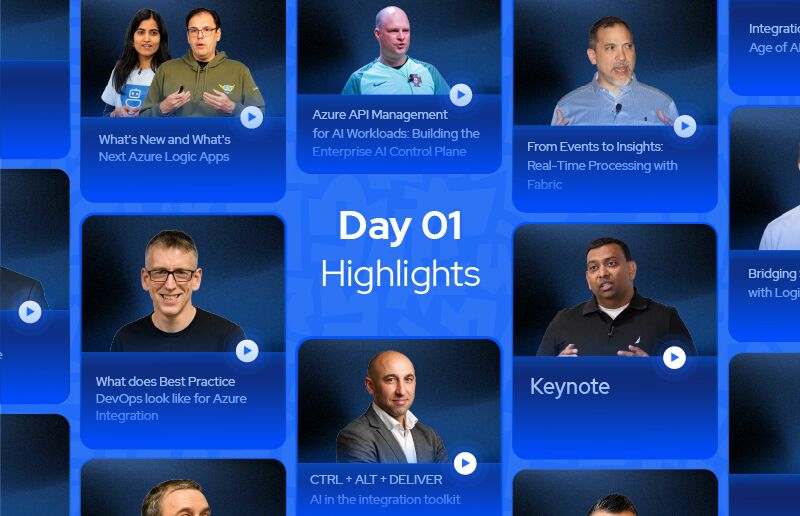
Welcome Note + AI Enabling Turbo360
The morning keynote at this year’s Integrate started with the usual warmth – Saravana, founder and CEO of the community that’s been running for 14 years, welcoming a global audience and being candid about why the event moved online this year. A bit of nostalgia for the London in-person days. Then he handed off to Mike Stephenson.
And that’s where things got genuinely interesting.
Mike runs Turbo360, an Azure FinOps and cost management platform. His talk wasn’t the standard product demo. He said as much from the start. Instead, he walked us through something more useful: the actual story of how his team went from experimenting with AI to shipping production agents – with all the wrong turns included.
The first AI feature wasn’t even called AI
Turbo360 had been using machine learning in their budget planner for a while before “AI” became the word everyone needed on their marketing slides. The feature looked at historical Azure spend trends and produced a ranged forecast – not a single point estimate like the Azure portal gives you, but a probability range that adjusts as recent data comes in. Customers could also factor in upcoming projects that might shift costs. Simple, practical, and built before the hype cycle.
But the bigger shift came in early 2025 when Microsoft started talking seriously about agents.
For Mike, agents weren’t just a new product feature. They changed how he thought about the problem. Instead of fetching data and handing it to an LLM to interpret, an agent gets a goal, a set of tools, and figures out its own path. That’s a very different architecture – and it meant the team needed to rethink what they were building.
Built on a plane, broken in Amsterdam, fixed in a terminal
The origin story here is worth retelling. Mike flew from Newcastle to California – ten hours – and spent most of the flight building the first two agent prototypes in Logic Apps. He landed with something that worked. The team picked it up, and by the time he was passing through Schiphol Airport in Amsterdam a few months later, they had a demo ready.
Except it wasn’t quite right.
The engineers had built something closer to a chatbot: fetch data, push it to the LLM, get a response back. Technically functional. But it pre-committed to what data the model would see, which capped what the agent could actually do. Mike wrote corrected code in the airport terminal – he had about 90 minutes before boarding – and sent it to the team.
The fix was registering tools with the agent and letting the model decide what it needed, rather than deciding upfront. That sounds like a small architectural difference. In practice, it meant the agent could work with anyAzure resource type dynamically, not just the ones the developer anticipated. A logic app analysis cares about runs and actions. A VM analysis cares about CPU and memory. The first approach couldn’t handle both. The second one could.
Thirty days after that first prototype, Turbo360 shipped production agents.
What the agents actually do
The “Explain with AI” feature came up as one of the most direct examples. Azure Advisor throws out recommendations that are often vague. Turbo360’s agent takes one of those recommendations and, in about 30 seconds, returns a breakdown: what the issue is, what changing it will save, implementation steps, a risk assessment, a rollback plan, and a priority justification. Mike’s point was blunt – what would normally take an engineer a few hours to analyse and document for a change request now takes half a minute, and you can export it straight to PDF.
The cost spike troubleshooter was another one. Anomaly detection produces false positives. A lot of them. The team added an AI agent layer that reviews detected anomalies and gives a second opinion on whether it’s actually worth investigating. And when you do want to dig in, the troubleshooter pulls from metrics, usage data, and resource configuration to give you a ranked view of what’s driving the change.
There’s also a scheduling assessment agent that looks at VM usage patterns and tells you honestly whether turning a resource off overnight is actually a good idea – or whether it’s running around the clock and you’d be causing yourself problems.
A few things worth taking away
Mike wrapped up with some honest thinking about when agents work well and when they don’t. The agents that have worked best for Turbo360 involve tasks that require pulling from multiple data sources, would normally need a human expert to interpret, and where being occasionally wrong has manageable consequences – because a user reviews the output before acting on it.
That last point matters more in enterprise integration contexts. When an agent is driving automated workflows rather than surfacing analysis for a human to review, the cost of a wrong decision can be much higher. Deterministic vs non-deterministic isn’t a philosophical question. It’s a risk architecture decision.
The AI-without-integration point landed well in the room. “AI without integration and without data is always limited to what you can get.” His argument: everyone at this event who understands integration already has a massive advantage in building AI solutions that actually do something. The tools that let agents connect to real systems are exactly what the integration community has been building for years.
It was a good start to the day.
Keynote
Balan Subramanian, who leads the product team for Microsoft’s application platform and integration services, delivered the keynote – his fourth year at Integrate – opening with thanks to Kovai and the integration community for pulling off a global conference. He set the theme quickly: last year he spoke about connectivity as the foundation for AI value, showing how Logic Apps and API Management integrate with Microsoft Foundry to give agents context and let them act. This year, he argued, we’re in the “second innings” – the real value of AI will come from how well organizations apply it to their core business processes.
What Is Operational AI?
Balan’s central idea: operational AI is when AI becomes part of an organization’s day-to-day business processes – understanding the context of each execution, taking actions across systems, and relying on humans when their input is needed. Agents are great at reasoning but are stochastic, so you can’t rely on them to do the same thing repeatedly. By pairing them with deterministic workflows, developers can build systems that reason and make decisions, then execute those decisions predictably, with humans kept in control. In this world, the integration platform’s value is providing the knowledge and context for agents to reason – both static knowledge from systems and real-time knowledge about how execution is actually going – plus the reliable execution for agents to take action. The rest of the keynote walked through what’s holding operational AI back and how the platform addresses it, organized around making systems AI-ready, APIs, orchestration, and governance.
Making Enterprise Systems AI-Ready
Organizations already have the data, knowledge, and context – the challenge is leveraging it for agentic AI, which means getting systems AI-ready on an AI-native platform. Balan highlighted the Logic Apps Migration Agent: an open-source VS Code extension, powered by GitHub Copilot, that brings Microsoft’s collective implementation knowledge into an agent that discovers and understands existing assets and generates modern Logic Apps implementations. It runs a gated discovery-and-refactoring workflow locally, lets you change generated artifacts and provide input throughout, and builds and tests artifacts with synthetic data – letting you refactor BizTalk, MuleSoft, TIBCO, SAP IPO, and other integration workloads to Logic Apps in weeks rather than rewriting from scratch.
He also announced Azure Connector Namespaces (public preview), which lets you use Logic Apps connectors from Azure Functions, App Service, Container Apps, and other Azure services – with native integration into Container Apps and Functions. The message: continue building your agent ecosystems where you are, reusing not just assets like APIs and backend systems but the platforms they run on, while Microsoft brings the best of Logic Apps capabilities across that ecosystem.
APIs as MCP Servers
APIs drive modern businesses and are fundamental for agents to get knowledge – particularly real-time knowledge on demand – and to take actions. Balan showed how Azure API Management can turn an existing API service into an MCP server in minutes: select the backend, choose the operations to expose, and publish them as agent-ready tools, with the same governance controls used for APIs (policies, authentication, observability) and discoverability by MCP clients through the governance gateway path. It works for REST, SOAP, or GraphQL APIs. The most important aspect is governance – selectively exposing capabilities so you constrain the surface area of what an agent can do, and creating multiple MCP servers for different agentic solutions. Available in API Management today.
Orchestration: Logic Apps Automation
Once systems are AI-ready, organizations have to orchestrate them – and Balan wants every person (developers, integration specialists, platform engineers, and information workers) able to create intelligent business processes. He announced Logic Apps Automation in public preview: a new SKU of Logic Apps that takes anybody from idea to automation in minutes, orchestrating workflows and agents into agentic business processes with human-in-the-loop as needed, all with the Azure-grade controls and reliability customers expect from Logic Apps. It spans simple automation through to agent workflows where agents do the reasoning and pick execution paths, while preserving determinism – once an agent decides to do something, it executes the same way every time – with the familiar observability and monitoring. The easy-to-remember URL: auto.azure.com.
Governance and the AI Gateway
Balan called governance the biggest challenge for operational AI adoption – with agents’ power comes real concern about what data they use and what actions they take, all at the speed of business, which makes giving agents free rein worrying. Microsoft has invested heavily in governance and management across the platform, but he highlighted the AI gateway in particular. AI gateways have become part of the implementation stack for most agent ecosystems (at least 25 exist by last count), and Microsoft introduced AI-gateway capabilities in API Management a couple of years ago, based on customers applying their API-operation principles to models. Models are APIs, but with special requirements – different payloads, streaming responses rather than simple request/response.
Microsoft has now made models, tools, and agents first-class entities in API Management. With the AI gateway in place: routing is unified (multiple providers and models without changing agent logic); there’s a central point of control regardless of which models developers use; governance is consistent (rate limiting, RBAC, cost controls, data guardrails applied to all agent interactions rather than one-to-one); credentials are centralized in the gateway rather than spread across agents; and observability is holistic, with every request, response, and tool call logged and traceable for easier debugging and auditing. The goal is to give organizations confidence to operate AI at production scale. The demo showed adding model endpoints (Foundry, or custom OpenAI-compatible and Anthropic providers), connecting an existing MCP server as a tool source with backend auth (keys, OAuth, or connectors), and applying a rate limit to a tool (returning a 429 when exceeded) – every model, tool, and agent following a 100% governance path through the gateway.
Q&A: Scale, the AI Gateway, and Empowering Everyone
In the closing conversation, the host reflected on how integration – once niche, with only so many BizTalk customers – has exploded in potential reach now that AI is in the picture. Balan gave the scale: over 100,000 enterprise customers building integrations and automations with Logic Apps today, plus heavy use inside Microsoft. His recurring line: integration is core to agentic AI, and as companies build agent ecosystems they recognize integration’s value in leveraging existing assets. The challenge he’s focused on is keeping pace with the industry while providing a stable platform customers can trust for production workloads.
Asked about the difference between the AI-gateway experience shown in the keynote and API Management in the Azure portal, Balan said the keynote was a teaser of where the AI gateway is going – all the features will be available to existing API Management customers, but for those who just want an API gateway, Microsoft will offer that too, with the same capabilities either way (a layer that hides complexity, much like Logic Apps Automation does). The host tied it to the “AI spaghetti” theme from an earlier session – the new integration spaghetti everyone thought was solved 20 years ago – noting the integration platform already has the ready-made solution. Balan closed on the empowerment message: as one customer noted, the way to improve an organization’s clock speed is to empower everybody to build automations and leverage agents – which is exactly what the platform aims to enable, across building, operating, and governing.
Azure API Management for AI Workloads: Building the Enterprise AI Control Plane
Steef-Jan Wiggers, a Microsoft MVP and Azure architect at a Dutch insurance company, opened with a question most organisations haven’t answered yet: who in your business can actually tell you which team is calling which AI model, how many tokens they’re consuming, and what it’s costing? If the answer is “nobody,” that’s the problem this session was built around.
The talk was a practical run through Azure API Management as a central control plane for AI traffic – covering policies, live demos, and an honest look at why the integration community has seen this pattern before.
The AI Spaghetti Problem
The opening slide hit a nerve. Without something sitting in the middle, AI infrastructure ends up looking exactly like the point-to-point integration mess the integration community spent years fixing. CRM systems talking directly to OpenAI, agents calling model endpoints with no central oversight, no token tracking, no cost attribution. Anyone who’s been in integration for a while recognised it immediately.
Put Azure API Management in the middle and the picture changes. Consumers on one side, AI backends on the other, and a governed layer in between that handles security, cost control, resilience, and observability.
Five Policies Worth Knowing
Steef-Jan Wiggers walked through the key APIM policies that make it useful as an AI gateway:
- Three-layer security – subscription key to identify the caller, JWT token validation to authenticate the request, and managed identity to authenticate APIM itself against the AI backend. No keys stored in config, no rotation headaches, full audit trail in Azure Monitor.
- Token limit policy – caps token consumption before a request even reaches the backend. Supports limits by subscription ID (team-level), by JWT claim (per-user), or by IP address. Stops runaway jobs from blowing the budget before you notice.
- Token metric policy – emits token usage into Application Insights, broken down by subscription ID, user, and workload. Gives you the cross-charging data you need when multiple teams are sharing the same AI infrastructure.
- Circuit breaker with backend pool – when your provisioned throughput (PTU) deployment hits its limit and starts returning 429s, the circuit trips and traffic overflows to a pay-as-you-go endpoint for a configurable duration. Then it probes the primary backend and restores automatically once it recovers. One gotcha: deployment names have to match across backends or you’ll get 500 errors.
- Semantic caching – caches prompt responses in Redis using cosine similarity. Similar prompts get served from cache, skipping the backend entirely. Cuts cost and latency for workloads with repetitive queries.
The Kill Switch Demo
The most memorable demo showed what happens when an agent goes rogue – flooding the API with tokens, triggering prompt injection, wiping indexes. With APIM in the middle, the response is a single Boolean flip. A named value called “agent-killed” defaults to false. Set it to true and every request from that agent immediately receives a 503. The blast radius goes from catastrophic to contained.
It’s a simple policy, but the point landed clearly: governance has to be designed in before you need it, not patched in after something goes wrong.
APIM as an MCP Gateway
Steef-Jan Wiggers also covered a newer capability – Azure API Management acting as an MCP gateway. Two modes: expose existing REST APIs as MCP-compliant endpoints that any agent can discover and call as tools, or proxy external MCP servers already in your organisation with the same auth, rate limiting, and policy layer applied. The demo showed Claude Desktop connecting through an APIM-hosted MCP endpoint to an Azure OpenAI backend, with token metrics and latency visible on the response.
The Bigger Picture
The Q&A brought out the thread that ran through the whole session. Mike Stephenson put it directly: centralising AI API calls through APIM gives you centralised token logging, and centralised token logging makes cost management and risk management tractable. Without it, you’re back to AI spaghetti – and a bill that keeps rising without anyone knowing why.
For anyone already running Azure Integration Services, the architecture is familiar. A governed, centralised layer between consumers and backends is exactly what the integration community built with message brokers a decade ago. The technology is different. The pattern isn’t.
From Clicks to Code: Reimagining Dataverse with Coding Agents
Kent Weare, Principal Product Manager at Microsoft, joined this session from Portugal – mid golf holiday – which set the tone for a talk that was relaxed, demo-heavy, and genuinely useful. Introduced by Mike Birch from Turbo360, Kent’s session explored how coding agents are changing the way developers and admins interact with Microsoft Dataverse.
It wasn’t a standard product overview. Kent spent most of the time showing real demos, and the thread running through all of them was the same: natural language replacing click-ops, with proper governance still in place.
What Dataverse Is (and Why It Still Matters)
For anyone unfamiliar, Dataverse is the data backbone underneath Power Platform – PowerApps, Power Automate, Copilot Studio, and Dynamics 365 all sit on top of it. It’s a structured data store with rich metadata, relationship support, role-based access control down to the row and field level, and built-in business logic capabilities like calculated columns and workflows.
Kent acknowledged the “SAS apps are dead” noise in the market head-on. His take: organisations aren’t going to vibe-code their way out of mission-critical systems over a weekend. What does change is how agents interact with that data – and that’s where the opportunity sits.
The Dataverse MCP Server in Action
The first demo showed a golf tee-time booking agent built in Copilot Studio, connected to Dataverse via the MCP server. A pro shop attendant could ask the agent to check availability, look up customer membership status, and book tee times – all through natural language.
The clever bit was how the agent handled a Dataverse instance with potentially hundreds of tables. Rather than pre-loading all the schema, the MCP server exposes tools like “list tables” and “describe table” that the LLM calls dynamically at runtime. It figures out which table is relevant, inspects the schema, and constructs the right query. The demo showed the agent correctly identifying a custom “customers” table over the default “accounts” table – because it actually understood the context.
Security is handled through OBO (on-behalf-of) – end-user credentials, not the builder’s. So even if a developer forgets to disable a destructive tool, users can only do what their own permissions allow. The agent can’t elevate access.
Three Personas, One Plugin
The second part of the session walked through the Dataverse Plugin for Coding Agents – an open-source package available on GitHub, working with GitHub Copilot CLI and Claude Code. Kent framed it around three personas from a fictional coffee company called Java Coffee:
- Maya (developer) – built a full data model with relationships, forms, and views from a single natural language prompt, then imported Excel spreadsheets into Dataverse without writing a line of ETL code. The agent dynamically wrote Python to parse the files, understood the destination schema, and handled the transformation.
- Ria (revenue operations analyst) – queried live business data using plain English. “Show me Carlos’s open opportunities over $100k closing this quarter”. The agent resolved who Carlos was, figured out the current quarter dates, and constructed the correct query.
- Amara (platform admin) – described a security model in business terms and had the agent generate a fully reviewable, repeatable Python script to set up roles, teams, and permissions across environments.
In each case, the agent generated a reviewable script – not just executed silently. Plan mode lets you inspect what it’s about to do before anything runs. Kent made a point of this: the “vibe coding” reputation is a symptom of people not using planning mode, not a fundamental problem with coding agents.
The Key Takeaway
Kent’s closing advice was practical: start in plan mode (Shift+Tab in GitHub Copilot), have a conversation about what you’re building, generate a spec file, and check it into source control. When you come back to the project weeks later, hand the spec to the agent first. That single habit – treating coding agents as collaborative engineers rather than prompt machines – separates useful output from generated noise.
The Dataverse MCP server is generally available. The plugin is open source on GitHub. Business skills are in public preview heading to GA. Worth a look if you’re building anything that touches Dynamics or Power Platform.
CTRL + ALT + DELIVER – AI in the integration toolkit
Sandro Pereira, Head of Enterprise Integration at Think Scope and a 15-year Microsoft MVP, opened with a disarmingly honest framing: he’s not an AI expert, he’s an integration practitioner who uses AI tools to get work done faster. Twenty years in the field, three kids at home, and a firm belief that if these tools help him finish in five minutes what used to take three hours – that’s time back with his family. That was the lens for everything that followed.
The session was almost entirely live demos. No pre-recorded safety nets. And to his credit, that made it more useful than most polished sessions – you saw the tool think, stumble, recover, and eventually deliver.
BizTalk Still Has Customers. AI Can Still Help.
The first demo was a reminder that BizTalk isn’t gone yet – retirement is 2030, and plenty of clients are still running it. The specific problem: an EDI pipeline component was generating a rogue empty line before an ISA segment, breaking trading partner agreements and blocking invoices. Hours of debugging, no clear cause.
Sandro’s approach: give GitHub Copilot a blank pipeline component template as context, then ask it to generate a function that reads an EDI file and strips the line break before the ISA segment. The generated code needed dropping into a BizTalk project to compile properly, but the core logic came back in minutes. Client problem resolved. Total time: five minutes.
He also used AI to generate SQL queries for BizTalk server assessments – checking version, edition, and cumulative update levels. His point: he knows SQL, but he’s not a SQL expert. Getting a working assessment query from a good prompt takes seconds. If it runs in milliseconds, the performance argument against it doesn’t matter.
Framework Migrations: Let the Agent Fight the Errors
The second demo was an Azure Function sitting on .NET 6 – out of support, throwing warnings, and not trivially upgradeable. Changing the framework version in Visual Studio and hitting build doesn’t work because of breaking changes between versions.
Sandro’s first attempt was a simple “migrate to .NET 9” prompt. It got partway there, then ran into JSON parsing issues, async/sync mismatches, and logger initialisation problems. So he built a more specific prompt – listing the exact issues he knew about, specifying that all operations should remain synchronous, flagging the logger initialisation pattern, and noting the dropped packages in .NET 9. The result: Copilot analysed the project, read the dependencies, made changes, attempted to compile, caught the errors, and fixed them iteratively. Sandro sat and watched.
It’s not instantaneous. But the developer isn’t in the loop fighting errors line by line – the agent is. That’s the shift.
XSLT, Bicep, and Logic App Workflows
Three more demos, each reinforcing the same principle. For XSLT work in BizTalk-to-Azure migrations, rather than keeping the full syntax in his head, Sandro asks Copilot to generate conditional rules – “create an XSLT if condition that checks whether an EDI shipment cost equals a given value.” When a large transformation threw an error about a ‘when’ element being a child of ‘if’ incorrectly, he pasted the error and the relevant code block and asked for a fix with strict instructions not to restructure the logic, just repair it. It explained the problem, fixed it, and left everything else untouched.
For infrastructure, he generated a Bicep script creating a Service Bus namespace with a topic and subscription from a plain English description – then asked it to add managed identity access. For Logic Apps, he prompted a full Standard workflow JSON definition: HTTP trigger, XML payload validation, blob storage access via managed identity, for-each loop over results, and naming conventions throughout. The generated workflow wasn’t perfect out of the box, but the structure was solid and the prompt quality was the variable, not the tool.
The Honest Take
The Q&A was refreshingly frank. On BizTalk orchestration migration: Sandro uses AI to speed up assessments and generate scaffolding, but he doesn’t trust it to fully migrate complex orchestrations. Most orchestrations in the wild are messy – years of patches, tracking shapes that shouldn’t exist, logic nobody documented. AI will faithfully reproduce that mess in Azure. You still need someone who understands what the orchestration was actually supposed to do.
On model choice: he uses whatever Copilot selects automatically. When a task that used to take five minutes suddenly took twenty, he discovered the auto-selected model had changed. His advice – use “ask” mode for questions and “agent” mode for producing output, and pay attention to which model is running, because some are significantly more expensive and slower.
The session title – CTRL + ALT + DELIVER – turned out to be a fair description of the approach. Not a rewrite of how you work. Just a faster path to the same deliverable.
Bridging SAP and AI Agents with Logic Apps and MCP
Sebastian Meyer, Senior Solution Architect at Quebec – a German integration consultancy that grew up with BizTalk and migrated to Azure Integration Services – opened with a declaration of intent: “I’m a German guy, so I need to talk about SAP.” What followed was one of the more technically satisfying demos of the day, showing how Logic Apps can act as the missing middleware layer between SAP’s proprietary protocol stack and the AI agents now being asked to work with it.
Why Direct SAP-to-Agent Integration Doesn’t Work
Sebastian opened with a clear-eyed look at the three core SAP integration technologies: RFC (Remote Function Call), the low-level proprietary protocol; BAPI (Business API), the callable methods like “Create Sales Order” that sit on top of RFC; and IDoc, the asynchronous message format used for bulk data transfer and decoupled processing.
The problem with pointing an AI agent directly at RFC is multi-layered. The protocol is proprietary and low-level, so an agent with unrestricted access could execute anything – including deletions. Access management is effectively impossible at that layer. The protocol metadata is verbose enough to blow the context window of most LLMs, dramatically increasing the risk of hallucination. And every time SAP releases a new RFC protocol version, agents would need retraining and full regression testing.
The solution developers always reach for when complexity gets too high: introduce an abstraction layer. In this case, Logic Apps.
Why Logic Apps Is a Good Fit
Logic Apps uses the same NCo (.NET Connector) library as BizTalk for SAP communication, which means existing BizTalk SAP integrations can be migrated without rebuilding the connector logic from scratch. Sebastian highlighted several reasons Logic Apps works well as the middleware layer here:
- Built-in SAP connector handling all RFC protocol complexity – the agent never touches it directly.
- Native MCP and A2A (Agent-to-Agent) protocol support, making Logic Apps AI-ready without additional infrastructure.
- 1,400+ connectors means SAP is one of many enterprise systems exposable through the same pattern.
- Enterprise-grade security with OAuth 2.0 or key-based auth, run history, diagnostics, and workflow monitoring all built in.
- Multiple MCP servers can be spun up from a single Logic App instance for scalability.
- Existing workflows can be reused as-is – no need to reopen and retest proven SAP integrations.
Building the MCP Server: What It Actually Looks Like
The demo started in Logic Apps Standard with three existing workflows: Create Business Partner, Create Sales Order, and Read Business Partner Information. Each follows a request-response pattern – a requirement for MCP exposure.
Rather than modifying the original SAP workflows, Sebastian built a thin proxy layer on top – a new workflow that accepts JSON, converts it to the XML format the original workflows expect, and calls them. The original integration stays untouched and battle-tested. The proxy handles the translation and acts as the MCP-facing surface.
Creating the MCP server itself was a few clicks: navigate to the new “MCP Services” blade under Agents in Logic Apps, click Create, choose “Use existing workflows,” give the server a name and description, select the workflows to expose as tools, and click Create. The tool description is crucial – it’s what the LLM uses to decide which tool to call when reasoning about a user request. The JSON schema defined in the workflow trigger is automatically surfaced in the MCP tool definition, so the agent knows exactly what fields are required.
Sebastian created two separate MCP servers from the same Logic App: one exposing the business partner tools, and one for the sales order tool. A single Logic App can host multiple MCP servers, each surfacing a different subset of workflows.
Two Demo Scenarios, One Real SAP System
Demo one: Microsoft AI Foundry. Sebastian created a new agent in the Foundry portal, added the MCP server endpoint from Logic Apps as a custom tool using key-based authentication, and gave the agent a system prompt constraining it to use only the provided tools for SAP interactions. He then asked the agent in natural language what information was needed to create a sales order – and it responded with exactly the fields from the Logic Apps JSON schema. He submitted a complete order request in plain English. The agent identified the right tool, called it with the correct parameters, and returned a SAP order reference number. Switching to the SAP GUI and searching by that reference confirmed the order was live in the system.
Demo two: Microsoft Agent Framework (code-first). No SAP SDK, no custom connector code, no infrastructure glue – just the agent framework loading tools from the MCP server endpoint, aggregating them into the agent’s tool list, and processing the same natural language request. The console output showed the agent reasoning through the steps: gather order details, find the create-sales-order tool in the SAP MCP server, call it, receive confirmation. A second SAP order reference came back – confirmed live in SAP. The run history in Logic Apps showed the user agent string as “Azure AI Foundry Agent Runtime,” providing a clean audit trail of what triggered the workflow.
Key Takeaways
If you’re already running Logic Apps, you have an enterprise-ready AI platform – MCP and A2A are already built in. Existing SAP integrations don’t need to be rebuilt; they become agent tools via a thin proxy wrapper and a few clicks in the portal. The pattern extends to any of the 1,400+ Logic Apps connectors. And natural language interaction with SAP opens new possibilities for business users who know what outcome they need but have no interest in the SAP GUI.
One honest caveat from the Q&A: MCP was originally designed for same-machine use, and fine-grained per-user access control is still evolving. OAuth 2.1 is in progress. For now, access management requires building your own enforcement layer on top of key or OAuth 2.0 authentication. Worth planning for before taking this pattern to production.
7 Learnings from running customer service AI agents at scale
Toon Vanhoutte, CTO and Azure MVP, gave a session that nearly didn’t happen on the right day – he’d had the wrong date in his agenda and got pulled in with two hours’ notice. Luckily it was already prepared. What followed was a refreshingly practical, technology-agnostic walk through seven hard-won lessons from running customer service AI agents in production. Whether you use Copilot Studio, Microsoft AI Foundry, or Agent Loop, he argued, the learnings are the same.
Customer service covers a lot: quotations, order intake, order status, price and availability questions, product advice, complaints, and FAQs. These split across external channels (public website chatbots, authenticated customer portals) and internal back-office handling (mailboxes, ticketing systems). His standing advice: start internally, in the back office, where your own people can build trust in the agents before you ever expose them to customers.
1. Use the Right Pattern for the Question
Two fundamental question types, with everything else a combination. Knowledge questions split again into static FAQs (“Are you open on Easter Monday?”) and situational ones that depend on the specific user (“Does my insurance cover storm damage?”). System questions (“Where’s my order?”, “Is this in stock?”) are simpler – usually a clean fetch from a back-office system.
Knowledge questions use a retrieval-augmented generation (RAG) pattern: sync sources like SharePoint into a vector database via change detection, text extraction, chunking, and embedding, then give the agent a search tool. Toon adds combined vector and keyword search, plus extra tools like “get table of contents” and “get page range” so the agent can dig deeper rather than answering off the top 20 results alone. System questions, by contrast, typically map one tool to one API operation, often fronted by API management.
2. Apply Security the Correct Way
This was the lesson Toon hammered hardest, with a deliberate “how not to do it” demo. External anonymous access is fine for general FAQs, but anything user-specific needs on-behalf-of security – the agent must act as the user, not as a super-admin.
The trap: letting the LLM set the user ID parameter. Even logged in as himself, Toon was able to prompt-engineer the agent into fetching another user’s order by convincing it he was that user. This is a top OWASP-class error. The fix is non-negotiable: the user ID must be passed programmatically by your engine – the deterministic code wiring the agent together – never decided by the language model. He also showed Microsoft AI Foundry guardrails for jailbreak attempts, hateful or self-harm content, and custom block lists.
3. Don’t Forget Your Integration Patterns at Scale
External chatbots need synchronous, real-time responses; back-office handling can run asynchronously via queues. Either way, the LLM eventually becomes the bottleneck – even with something as fast as Cosmos DB for conversation state.
On capacity, two options in Microsoft AI Foundry: tokens-per-minute (pay-as-you-go, variable cost, can get throttled) or provisioned throughput units (reserved capacity, predictable, no throttling within your reservation). His advice: start with tokens-per-minute for low or bursty loads, monitor usage closely on both token and cost dimensions, and move to provisioned throughput for high, steady workloads. For async back-office work, queues with limited concurrency (say two messages at a time) give you clean load leveling – he demoed 50 messages processed steadily off an inbound queue.
4. Bring the Human Into the Loop
Externally, if the agent can’t help, it escalates or creates a support ticket – Toon demoed an agent searching the manuals, finding nothing, and creating a pre-filled ServiceNow ticket. In the back office, he strongly advised against human-in-the-loop on shared mailboxes (too chaotic) and instead using a proper CRM or ticketing tool.
Two nice examples: in TopDesk, the agent’s answer appears as an internal note visible only to the service desk rep, not the customer. In Freshdesk, a custom HTML widget on the right offers the rep an accept/reject suggestion. The principle: match the integration to whatever your CRM, ticketing, or support tool actually supports. He also covered the autonomy matrix – deciding per scenario where the agent can run autonomously versus where a human must stay in the loop, governed by confidence thresholds, and again enforced in deterministic code, not by the LLM.
5. Get Your Product Search Right
Often the crucial piece. Quotations, prices, and stock checks all need a product ID, but customers provide their own codes (about 10% of the time), their suppliers’ codes, or just vague descriptions. So you sync the product catalog to a vector database and expose a search-product tool with two parameters: search text and a filter. Critically, the agent also needs the facets – the valid enum values for color, brand, and so on – so it composes valid filters rather than guessing at a color you don’t stock. This mirrors the faceted search users already see on websites.
6. Build Trust in Your Agents
GenAI projects need far more testing than traditional IT, because non-deterministic behavior can’t be tested with traditional tools – and every model upgrade means re-testing. Toon’s test framework defines a message plus evaluation criteria (not exact-match answers), then uses an LLM-as-judge: the message goes to the agent under test, its answer plus the criteria go to an evaluator agent that rules it good or not. Running these on a regular cadence is what lets you put an agent in front of customers.
7. Let Your AI Agent Learn
A key clarification: you can’t train the agent – you optimize the system around it. First identify weak spots through explicit testing, captured user feedback, confidence-level monitoring in logs, and agent self-reflection. Then optimize: improve instructions and skills, improve the source documentation, add memory, and refine tools (often filtering API responses so only relevant data reaches the LLM).
He closed with a memory demo: an agent with get-memory and update-memory tools that recalled a customer always orders “power drain” products, proposed accordingly, learned the preferred 110mm diameter mid-conversation, and saved it for next time. On the GDPR question that followed: agent memory is just another store of customer data – already mirrored in your email and ticketing systems – so it simply needs to be part of your existing GDPR lifecycle, including deletion requests.
The One Takeaway
Asked for his single tip, Toon didn’t hesitate: involve your business. This is not an IT project, it’s a business project. In customer service, the engineers in daily contact with customers know best how to answer – and they’re the ones who need to gradually build trust in the agent before it ever reaches the outside world.
Scoping BizTalk migration without the guesswork
Ahmed Bayoumi, CTO at Contica – a Swedish integration consultancy based in Gothenburg – opened with the best analogy of the day: AI agents are like teenagers. Smart, capable, creative, and entirely willing to do exactly what you literally asked rather than what you meant. Ask them to clean the garage and the result is technically clean, but your valuables are gone, the tools are in the wrong boxes, and the car is somehow parked upside down. They’re also, he noted, surprisingly expensive to operate. Both of them.
Why Scoping Is the Real Problem
Ahmed’s core point: BizTalk migration isn’t a technical problem. Plenty of people know how to migrate. The hard part is understanding what you’re actually dealing with – undocumented servers running for years, with orchestrations, pipelines, schemas, dependencies, and application support all tangled together.
Good scoping comes down to four deceptively simple questions: What are we doing? What’s off limits? Who does what? And what does “done” actually mean? Miss any one of them and assumptions creep in, and assumptions bring expensive surprises. The scoping process is inherently iterative – you discover a dependency, go back, someone finds another, you go back again – which makes it slow, manual, and hard to keep consistent.
The Trap: Loading Everything Onto One Agent
The obvious 2026 answer is “just throw it at an AI agent.” But that’s like telling your teenager to sort tools, inventory everything, estimate replacement costs, document it all, and redesign the garage – simultaneously, holding every piece of context in their head at once. The agent’s context window fills up, hallucination risk climbs, and token costs balloon on what is already an iterative task. You also end up babysitting it to keep things in the right order.
There’s a second trap: tying your way of working to one specific platform. Build a great agent in GitHub Copilot and you’ve still got to rebuild it for Claude, Gemini, or whatever’s popular next week. The valuable asset isn’t the model or the client – it’s the knowledge of how to scope correctly. That’s what needs to be captured.
The Answer: Skills
Ahmed’s solution is to separate instructions (what to do) from procedures (how to do it). A skill packages the procedure – the knowledge, steps, rules, references, and any scripts needed for a specific task – and the agent loads it only when needed, rather than carrying everything up front.
Demystifying it: a skill is just a folder. A markdown file with instructions, a subfolder of scripts and reference material, and some assets or templates. The agent permanently remembers only the skill’s name and description – roughly 30 to 50 tokens – and loads the full content in layers only when the skill is triggered. It’s versionable, portable, and runs the same way on any model or client.
The Demo: Scoping a Real BizTalk Environment
Ahmed walked through his own skill library, built around BizTalk’s XML-heavy artifacts and parsed with Python scripts. His skills were deliberately thin – a short name and description, with the real logic in the scripts.
- A binding-file skill that parses the BizTalk binding (the “footprint” of everything running), extracting adapters, systems in use, exposed sensitive information in clear text, misconfigured ports, and file-mask naming standards.
- A source-code skill that enriches the binding facts with orchestration, schema, and pipeline detail straight from the source.
- A diagram skill that builds visual port relationships for an undocumented environment.
- A risk skill that surfaces alarms and scope creep, classifying systems as high-risk, rebuildable, or retirable.
- A reporting skill that collects all the per-skill JSON outputs into a clean HTML summary for the team and client.
Invoking a skill needed no carefully crafted prompt – the prompt lives inside the skill. Ahmed simply triggered it with a binding-file path, and it ran the Python, produced structured JSON, and chained into the next recommended skill automatically. After running several skills with significant context, he was still at around 4% of his context window, with no runaway token usage. Crucially, the exact same skills ran unchanged across VS Code, Claude terminal, Codex, and Gemini.
Key Takeaways
Scoping is a procedure, not guesswork – gather facts with skills before you start. Skip building custom agents; they bring their own challenges. Make everything portable, shareable, and runnable anywhere, so you’re teaching others your procedure rather than handing them prompts to copy.
Azure Container Apps Express: First Sight
Massimo Crippa, lead architect at Codit and a self-confessed Kubernetes enthusiast, gave a genuinely live first look at two new previews – Azure Container Apps Express and Container Apps Sandboxes – along with the micro-VM compute substrate that powers both. Demos glitched in real time (it’s preview, after all), but that honesty made the session more useful than a polished walkthrough would have been.
What Express Is – and Isn’t
Massimo opened by framing the problem. He loves standard Container Apps for the control it gives over networking, ingress, and revisions while abstracting away Kubernetes complexity. But for many web workloads, the first question isn’t “how do I model my infrastructure?” – it’s “how do I get my container online and reachable, fast?” Every second of provisioning delay is wasted productivity.
Express answers that. It strips away early infrastructure decisions and applies opinionated defaults around public ingress, scaling, and infrastructure, so you can ship a container in roughly 20 seconds. He was clear about positioning: this is a developer velocity tier, not a replacement for standard Container Apps. Fewer configuration options, simpler management, pay-per-second billing with no idle charges – though pricing and SLA are still unknown during preview.
The fit: heavy-first lightweight workloads that start up quickly – dashboards, lightweight API gateways, ephemeral instances, prototypes, and a fast path to a first reachable endpoint. As Massimo put it, a missing feature isn’t a flaw if you don’t need it. The right question is whether the tier satisfies your workload today.
The Demos: Portal and CLI
Deployment happens two ways today: the dedicated portal at containerapps.azure.com or the Azure CLI. In the portal, the parameters are deliberately minimal – up to two virtual CPUs, a resource group, an image, and little else. Notably, the portal doesn’t expose environment variables, so for anything needing configuration (Massimo’s example: an MCP server with a vector DB behind it, a RAG pattern), the CLI is the right tool because the portal doesn’t surface everything.
A side-by-side cold-start comparison made the point: from scale-to-zero, the express app rehydrated in a couple of seconds versus around 20 seconds for standard. The container apps environment still gets provisioned under the hood, but here it acts more as a governance boundary than the Kubernetes-namespace digital twin it is in standard.
The Key Difference: The Kernel
Massimo called this the most important slide. Standard Container Apps run on a shared host kernel – fine for most things, but problematic when you need to guarantee strong isolation between, say, one AI agent and another. Express instead runs each container inside a micro-VM (Firecracker-style), giving a dedicated kernel, dedicated memory, and dedicated CPU boundaries – strong isolation rather than shared.
This micro-VM substrate is the bigger story. Massimo noted that a wave of Microsoft PaaS and serverless services announced around Build are moving onto it: Logic Apps, AI Foundry hosted agents, Functions hosted agents – and now Express and Sandboxes. He likes to think of Express and Sandboxes as both built on top of micro-VMs, with Sandboxes exposing a lower abstraction layer (more configurability) than Express.
Sandboxes: Same Substrate, Programmable Lifecycle
Sandboxes share the same fast startup, fast provisioning, and strong isolation as Express, but add a programmable lifecycle – you can create, suspend, resume, and snapshot a micro-VM, each coming back with its CPU and memory bundle. Use cases center on agents and agent workflows, persisting state, and running untrusted code that can be suspended and resumed from a checkpoint.
The headline use case: running coding agents like GitHub Copilot, Codex, or Claude in the cloud rather than on your own machine – installing tooling and running potentially untrusted commands inside a strictly governed boundary, with MCP service connectors available. It’s a two-plane architecture: the classic ARM control plane handles role assignments for managing sandboxes and snapshots, while the data plane provisions the micro-VMs within a sandbox group (a governance boundary). Provisioning a sandbox took 1–2 seconds, and bundles go up to four cores and eight gigabytes – larger than Express.
In the live demo, Massimo resumed a suspended Ubuntu-plus-Copilot sandbox, handed it a prompt to build a static “Hello 2026” web app with confetti, build it via ACR, and publish to Container Apps Express – then observed the sandbox’s network traffic, running processes, and file interactions throughout. That observability into what an agent’s skills actually fetch and execute is a real benefit when running untrusted code. He also showed a non-agent use – a sandbox running Locust for load testing, driven entirely through the CLI and SDK.
Honest Caveats
Massimo was candid about current limits. Observability is the big gap: Express scales automatically but gives little visibility into instance counts or what’s happening behind the scenes, unlike standard. Ingress is opinionated – turn it on for an addressable URL, leave it off and the container is unreachable, with private-plus-public-ingress patterns still unclear. Premium ingress, network integration, sidecars, Docker, and volume mounts are either missing or in development. On elasticity, a light 60-user test showed Express and standard performing roughly the same on the same CPU/memory profile.
On migration: he wouldn’t move anything non-trivial to Express today. A single-container dashboard, fine – but anything with complex networking hits missing features. His read is that Express is being sold as a velocity tier now, but with so much in development, it’ll likely grow closer to standard in features – at which point you’d choose it specifically for the micro-VM isolation, which he sees as the real game changer.
The Bigger Picture
The closing recap: Azure Container Apps is one platform offering multiple compute shapes – apps, jobs, session pools for ephemeral agent code, and now Express and Sandboxes for speed, velocity, and high isolation. Express is the fastest path for suitable HTTP workloads; standard remains the full-control option; and Sandboxes unlock a large set of new use cases, especially via the SDK. For newcomers, Container Apps is a far gentler on-ramp to containerization than Kubernetes – though Massimo still encourages understanding how Kubernetes works underneath. A good balance, as the host put it, between solving the business problem and not creating new infrastructure problems for yourself.
How ethical is your agentic AI integration platform (and how would you even know)?
Robert Hogg, CEO of Black Marble (and an event sponsor), gave a session he admitted up front wouldn’t have fit an integration conference even a year ago. But as AI works its way into Logic Apps and MCP servers, the question of how you constrain those agents – and who carries the blame when they get something wrong – has become squarely an integration problem. His framing: integration is the cornerstone of all AI adoption, because AI needs data, and data needs integration.
He set the tone with a memorable mental model: think of AI agents as sociopathic two-year-olds who desperately want to please you. They’re not really hallucinating – they’re telling you what they think you want to hear. He’s a genuine fan of AI as a tool, but was clear that a fast, cheap, ethics-free build is a race to the bottom, and the consequences land on you and your organisation.
Where Things Go Wrong
Robert walked through the risk categories: malfunctions (task misalignment, prompt injection, leaking sensitive data), misuse (cyberattacks, scams, synthetic media, AI impersonation), and systemic risks. The two that matter most, he argued, are the casual belief that “it’s easy” and the temptation to let AI replace decision-making. Where you’d use a Logic App, behaviour should be deterministic and rule-following – and if it isn’t, what auditing and quality controls sit around it?
The recurring theme was the human in the loop. He cited a cookie-consent UX trial where the AI did such a good job that people stopped checking – effectively removing the human, so that the one-in-a-thousand wrong decision now sailed through unexamined. “AI blindness,” he called it, the same pattern as cookie blindness. Real-world failures ranged from the 2010 flash crash (trading algorithms in a destructive loop) to cancer-detection models keying on rulers in photos and pedestrian-detection systems missing people.
Bias – in Data and in Prompts
Bias was a major thread. Beyond the obvious data-set issues (the “generic pale male” problem, racism baked into training data), Robert stressed that bias also lives in your prompts – even if you’re only prompting and never training. A question phrased with enough built-in bias gets an answer the user wants but that isn’t real.
His mitigations: diversity of team (mixing surgeons, nurses, admin, and working-class perspectives produces a better spread of data and models), careful attention to where training data comes from (social media is polarising), and testing. The biggest cost-and-quality lever for the integration industry, though, is fine-tuning – a fine-tuned smaller model can approach a large model’s accuracy and cut costs by up to 99%, which matters enormously in the coming “token wars.” And the lever that hits everyone: prompt quality. Make prompts fair, honest, unambiguous, and bias-checked, then monitor.
Ethics, Principles, and the Law
Robert defined ethics as practical decision-making – the standards by which actions are judged right or wrong – and used the classic trolley problem to show these are real, unavoidable choices when an AI fault means, say, someone gets wrongly declined with no workflow to catch it. His key point: it isn’t up to the engineers on the call to decide their organisation’s ethics. Ask your organisation what its principles and ethics actually are – most can’t answer, and it usually gets punted to marketing. Governance must be cross-functional: not just data scientists, but legal and compliance too.
On the legal side, transparency is paramount. At Black Marble, every customer is told AI is used across their systems and given the option to decline – declining adds roughly 10–25% to cost, and the conversation usually ends with “yes, use it.” He noted the patchwork of pending US bills (~120), the EU AI Act, and a forthcoming UK bill, plus a copyright wrinkle: in the US you don’t own AI-generated code, in the UK you may. And the cautionary tale of the lawyer who submitted ChatGPT-fabricated case law to a federal court – a 10-second Google Scholar check would have caught it, but nobody bothered.
Frameworks Worth Knowing
Robert ran through a practical toolkit of standards, recommending you read them whether or not they apply to your sector:
- NIST AI Risk Management Framework – his top recommendation, covering governing, mapping, measuring, and managing AI risk; he noted following NIST makes you largely compliant with the EU AI Act and ISO standards too.
- Microsoft’s Responsible AI principles and impact-assessment templates – strong on transparency, fairness, accountability, reliability, and safety assessments.
- Interpol’s AI toolkit – surprisingly good lightweight workbooks for any organisation, not just policing; and the UK Police Council’s principles as a solid lightweight starter.
- UK government material – the AI Playbook, the AI Standards Hub (NPL, Turing Institute, BSI), and DSIT’s Cyber Security Code of Practice with 13 delivery principles, now echoed in ETSI’s baseline AI security guidelines.
- ISO/IEC 42001 – the AI management systems standard, which Robert said will hit integration systems “squarely in the chest,” plus NIST’s emerging AI agent standards initiative.
He also recommended building a simple risk matrix – categorising likelihood and severity of harm (minimal to critical, where someone could die) and running each system through lenses of lawfulness, robustness, inaccuracy, misuse, environmental/token cost, human oversight, and security.
Safety, Explainability, and the Journey
On safety, Robert offered three concepts: alignment (works within intended use cases and fairness boundaries), robustness (behaves well even in unintended circumstances – which can be as simple as saying “I don’t know”), and correctability (detecting and fixing its own mistakes, often outside scope but achievable via retraining or redesign). Explainability is the harder problem – different models trade accuracy against transparency, and a black-box AI you don’t understand is a liability.
To start the journey: check whether your organisation even has an AI management group – a cross-functional body owning the legal, ethical, quality, and security questions, and deciding who carries the risk (because if it goes wrong, the business will blame IT). That group sets principle objectives, governance methodologies, data and performance monitoring, and per-stakeholder impact assessments.
The Takeaway
Robert’s summary: it starts with people and ends with people. Understand and prioritise your business case, make sure your data strategy and AI strategy match, think about secure AI DevOps, and drive adoption responsibly – and don’t forget the ethics, because they will come back to bite you. The encouraging note for this audience: organisations struggle with AI mainly because of poor business processes and low-quality data – and producing high-quality, filtered data is exactly what integration does. So the integration community starts ahead.
In the Q&A, the host drew a neat parallel to FinOps – just as cloud spend is no longer purely an IT responsibility but a shared cross-departmental concern, AI governance and ethics can’t sit with IT alone. Robert agreed the analogy was perfect, and closed on the recurring metaphor: AI is only as good as you make it, much like raising a child with values and ethics – how you engage with that eager-to-please two-year-old determines the results you get.
What does Best Practice DevOps look like for Azure Integration
Richard Fennell, CTO of Black Marble – a bespoke software house in the north of England whose work is largely integration projects – took a deliberately broad view in this session. He doesn’t do much hands-on integration himself; his focus is the engineering process that runs across all projects. So rather than diving into Logic Apps internals, he laid out the best practices that should underpin any Azure integration project, broken into three themes: AI in the engineering process, good engineering practices, and securing the supply chain.
AI as an Engineering Tool – Not a Workflow Feature
Richard was clear up front: this wasn’t about using AI inside your integration workflows, but about using AI to build the integration – the engineering side. He borrowed a GitHub framing of the AI journey in waves. Wave one was smart IntelliSense and code completion living inside the IDE – the AI as a pair programmer reminding you of syntax. Wave two, where we solidly are now, is chat-based and agentic: you talk to the AI in planning and specification, agree a plan, then hand work off to background agents (local or cloud) that report back, usually as a pull request. He likened wave-two agents to keen junior developers who write a lot of code but lack full context, so they need close monitoring. Wave three – hybrid human-and-AI teams – is something we’re only just dipping our toes into.
Where AI Code Generation Works – and Where It Struggles
On language choice, you get the best results from languages the models are well-trained on – C#, Python, TypeScript – far more than Ada or COBOL. Azure Functions are an excellent fit: point the tool at a good worked example, give it an English-language spec, and tell it to generate a function meeting the business requirement and your standards.
Where Richard has seen weaker results is with graphical design surfaces like Logic Apps, and with declarative JSON or XML output – these don’t play to the tools’ strengths. He referenced Sandro’s earlier demo: the AI builds a Logic App on the first pass, but when it isn’t quite right, you hit a fork – keep burning tokens re-prompting (it’s effectively metaprogramming, talking one way to generate something else), or just go in and fix it yourself based on experience. For C# Azure Functions, by contrast, handing the AI a stack trace and asking for a fix is highly efficient. The takeaway: play to the tool’s strengths, and lean on AI more for the Functions side than the Logic App side.
Context Is King
The recurring theme of the AI section was that context is everything. Make sure your agent or chat session can see the structure of your project – typically a git repo opened in the IDE or referenced from the CLI. Richard noted the common early-days experience: people try “hello world,” get nothing useful because there’s no context, then come back days later saying it’s “learned” what they do – when really it just had more context from a well-formed existing project to build on.
Concretely, that means a well-structured repo with a README for humans and an AGENTS.md file for the AI – the agent equivalent of the README, setting coding standards, allowed languages, and must/must-never rules. On top of that sit custom agents (specialisations layered on AGENTS.md – e.g. an expert C# developer, a Playwright test writer, a Logic App expert), which GitHub lets you store centrally across an organisation for governance. Then skills (how to interact with local tools and compilers) and MCP servers (wrappers around external APIs like Salesforce, Azure DevOps, or GitHub) let agents reach out, reference work items or issues, and pick the tools they need.
AI Beyond Generation
Richard covered non-generation uses too. AI code review on a GitHub PR is one button press – a background GitHub Action runs an agent with full repo context and produces a solid first-pass review. AI is also excellent at the work developers habitually neglect: filling test-coverage gaps (especially failure paths, not just the happy path) and keeping documentation current – routed through a PR so a human still reviews it. And AI makes a useful “rubber duck”: because the tooling knows your system context (and potentially your support incidents via an MCP to Azure DevOps or Zendesk), you can talk through a problem in an early-stage planning conversation.
His one-line summary for the AI section: governance, governance, governance. Roll AI tooling out first to a small team of champions, then broaden with training. Put guardrails in at the enterprise level (because token-based billing gets expensive fast), then delegate appropriate controls down to teams with budgets and limits. This is engineering working with AI – not vibe coding. He drew the parallel to old click-ops integration tooling that promised “every business owner can build their own integration” and produced unmaintainable messes; AI needs proper foundations so the result works in production, not just on demo day.
Good Engineering Practices
Richard admitted this section risks sounding boring – he’d like to assume every professional has good practices, but bitter experience says many don’t. The foundations: source control is your safety net (letting you experiment and roll back), and a CI/CD process is the heartbeat of your project. Together, a safety net and a heartbeat.
His strongest opinion: avoid click-ops. UI-based design surfaces and right-click-deploy from Visual Studio both need to be avoided – how do you roll back, validate, or promote to another instance? Our industry has a habit of shipping prototypes, which is fine, but click-style working falls apart the moment it goes wrong. The answer is infrastructure as code – Bicep or Terraform – so complex integration networking (VNets, firewalls, appliances) is defined in files, deployed by command, changed through source control, and torn down just as easily. Start a new project with an empty resource group and build up.
The Heartbeat: Pipelines, Agents, and Testing
The automation heartbeat runs on Azure DevOps pipelines or GitHub Actions (largely the same engine). Pipelines trigger on repo events; GitHub Actions can trigger on almost any GitHub event – a new issue, a first commit prompting a contributor agreement – giving broader reach. Automation should start with a build stage (build, compile, lint, analyse), wiring in tools like SonarCube for static analysis to catch issues like SQL injection early, publishing results, and blocking the pipeline as early as possible. Fixing bugs early is far cheaper.
Then deployment, where infrastructure as code shines: stand up a complete environment, deploy code properly (not right-click), and run tests. For integration projects, Richard favours integration testing over unit testing – unit tests rely on mocks, and a mock is only as good as the documentation of the system you’re calling, offering no protection when a vendor changes their API six months later. Better to test against deployed demo/sandbox solutions. Infrastructure as code also enables dynamic deploy-test-teardown cycles per PR, parallelising development. He cited a UK engineering client who expected cost savings from cloud dynamic environments but found the bigger gain was confidence to experiment – trying eight cores versus four with double memory became trivial.
On where deployments run: Microsoft-hosted cloud agents are fine for public endpoints, but integration infrastructure usually sits behind firewalls. Options are self-hosted agents on a VM inside your network, or the newer managed DevOps pools – recycled, auto-scaled agents that run inside your Azure infrastructure on your VNet, combining hosted-agent lifecycle with private network reach. A mature pipeline mixes public agents (for infrastructure as code) and private agents on the VNet (for actual deployment and integration tests).
Securing the Supply Chain
Richard flagged supply-chain attacks as arguably the biggest risk, citing a recent NPM incident where a compromised developer machine led to trojanised Axios versions. The problem is wide-ranging and ongoing: any NuGet package, GitHub Action, or Azure DevOps task you consume could be compromised later – something safe six months ago may have a vulnerability disclosed today, so you can’t ship and forget. Azure DevOps marketplace tasks are immutable (pin a version, get that version), giving some protection; GitHub Actions are riskier because they reference git repo tags that can be repointed if a repo is taken over – so pin to specific SHAs.
The fix is proactive, regular validation. Run integration tests on a regular cadence (a test that passed six months ago proves nothing today), and wire in dependency scanning. On GitHub, Dependabot scans your packages for known CVEs and even writes the PR to move you to a fix; in the Q&A Richard added GHAzDO for Azure DevOps, Snyk as a cross-platform option, and the free OWASP Dependency-Check (using a mirror of the CVE database, handling Pip, npm, Maven, and more). His neat framing: SonarCube tells you when you’ve written bad code; Dependabot, Snyk, and Dependency-Check tell you when someone else has written bad code that you’re consuming – you need to think about both.
The Takeaways
Good engineering practices are the savior across all of this – a safety net, a reliable rhythm, tracking, and documentation. Avoid click-ops; be disciplined and throw away your throwaway prototypes. Start projects correctly – Black Marble runs a PowerShell script that scaffolds a new project with the right structure, a README, an AGENTS.md, a hello-world app, and a working build, so teams iterate on solid foundations. Secure the whole supply chain proactively. And with AI, know its limits: keep governance and guardrails in place, and keep humans at the key point – AI can review a PR, but a human gives the final approval.
In the Q&A, the host raised a challenge specific to integration: unlike a static web-app-plus-database, integration architecture changes constantly – new APIs, functions, queues, and Logic Apps appearing per project. Richard’s answer was an emerging need for a platform layer in your DevOps process: approved technologies, consistent VNets, consistent integration patterns, defined via infrastructure as code, with consistency enforced at the governance level. Standardisation gives consistency, which gives velocity. Practically, Black Marble uses lightweight GitHub templates – production-ready “hello world” repos for each technology stack – so a new repo starts correctly from a known-good blueprint.
Integration in the Age of AI
Sagar Sharma, an enterprise solution architect and Microsoft MVP based in the Netherlands with 17 years in integration and architecture, opened by deliberately rewriting his own session title. “Integration in the Age of AI” sounded too technical – like starting from a tool. He reframed it as “governed business process automation,” the same thing viewed top-down from business capability rather than bottom-up from a service. The whole session built one practical architecture framework around a single anchor line: start with business capability, choose the right architecture pattern, then govern the execution path.
Why Now: Six Forces
Sagar grounded the session in six capabilities now shaping automation in Azure, all available today. AI reasoning in workflows (Logic Apps agent loops following a think-act-observe pattern with human-in-the-loop approval). Natural-language authoring (the private-preview “Logic Automation,” where you describe a workflow in plain language onto a visual canvas). MCP-enabled tools (Logic Apps Standard can now be exposed as a remote MCP server, making existing integration assets AI-discoverable without rebuilding). Runtime governance (API Management as an AI gateway, now governing models, agents, tools, and MCP servers, not just REST). Reusable capabilities (API Center as the catalog and governance point that prevents shadow AI). And agent management (Azure AI Foundry for full-scale multi-agent setups with hosting, identity, and tracing).
His caution throughout: not everything is GA – some features are private preview, some tied to specific API Management SKUs or regions (semantic caching, token budgeting), so always verify availability before designing on top.
The Mindset Shift: Start With Business Capability
The most important shift in the session: stop asking “how do I automate this workflow?” and start asking “how do I design a governed business capability that can be used by people, systems, events, or AI-assisted processes?” The first question is reasonable for a one-off integration, but it starts from technology and works backward – and in an AI era where you can build and deploy faster than ever, that ordering produces shadow AI and ungoverned agents faster than anything else. The reframed question forces you to think about ownership, audit, decision rights, and identity before touching a single service.
Sagar offered six capability-driven questions to ask before selecting any technology: what business outcome is needed (in business terms)? What decisions are involved – deterministic rules or exploratory judgment? What systems are touched (and what’s the blast radius if something goes wrong)? What risk exists – financial, regulatory, or reputational? What needs human approval (where does AI propose and a human dispose)? And what must be discoverable and auditable, for compliance as well as ops? Notably, none of these mention Azure, agents, MCP, or Logic Apps – they hold regardless of the technology you eventually pick.
The Azure Capability Map
Sagar mapped four architecture roles to services. Orchestration/workflow is Azure Logic Apps – the control plane for triggers, branches, retries, long-running stateful workflows, approvals, and a broad connector ecosystem; everything else in integration sits on top of, under, or beside it. AI execution is the Logic Apps agent loop – an emerging capability for AI-assisted reasoning inside workflow boundaries. Tools and APIs is MCP plus API Management – either expose a Logic Apps Standard workflow as an MCP server, or surface a REST API as MCP through API Management. And governance and people is API Center (a private MCP registry where everything is cataloged, owned, and lifecycle-managed) plus human-in-the-loop via Teams or Outlook for high-impact decisions.
Underneath all of it sits a shared governance plane that makes everything enterprise-grade: identity and access (authentication, and on-behalf-of delegation so an agent runs under the user’s persona and permissions, not a god-mode service account), observability (Application Insights, Log Analytics, correlation, Logic Apps run history), and networking and data (private endpoints, ACLs). The tagline: skip any pillar and the weakest link defines the architecture. Sagar has seen beautifully designed workflows where identity was an afterthought – and that’s exactly where most incidents happen.
The Least-Autonomous Principle and Five Patterns
Before the patterns, Sagar set the governing principle: a million tokens can light a candle – it works, but at what cost? Choose the least autonomous pattern that works. Autonomy isn’t a maturity level, it’s a design trade-off; more autonomy means more governance overhead, observability, cost control, and risk management. Most processes need a workflow, not an agent. He laid out five patterns of increasing autonomy:
- Pattern 1 – Workflow + single AI enrichment: the workflow owns the flow; AI touches exactly one step (classify, summarise, extract, recommend), gated by a non-negotiable confidence threshold and human approval for high-stakes actions. The most common pattern in production today. Examples: invoice exception detection, claim classification, contract metadata extraction.
- Pattern 2 – Agent loop inside a governed process: the agent reasons (think-act-observe), but the workflow defines where the boundary ends. A tool allow-list scopes what the agent can call; the recommendation returns to the workflow boundary for a human-in-the-loop gate before any deterministic action. Because it runs inside a Logic Apps Standard workflow, it inherits hybrid hosting, data residency, CI/CD, and full run history showing the entire agent trajectory.
- Pattern 3 – MCP reusable tools: expose internal capabilities as MCP (Logic Apps Standard via HTTP/SSE, REST APIs via API Management, or a custom MCP server in Functions/containers), discoverable through API Center as a private registry. Treat the catalog like a curated product catalog – only stable, owned, well-scoped capabilities, each with a named owner.
- Pattern 4 – Governance via the AI gateway: AI-enabled calls pass through a policy-enforced API Management gateway handling auth, on-behalf-of delegation, rate limits, per-model token budgets, content safety / prompt-injection checks, schema validation, semantic caching, circuit breakers, and full telemetry.
- Pattern 5 – Legacy migration: inventory every legacy asset and assign an owner, decompose monoliths into business capabilities, then rebuild as Logic Apps workflows with clear contracts, exposed as MCP and registered in API Center.
On migration, Sagar drew three lessons from real BizTalk work: don’t migrate what you don’t own (retire ownerless assets rather than rebuilding them); one-to-one is not modernization (lift-and-shift just gives you a newer runtime with the same architecture – use migration to reshape); and define the capability contract before choosing a connector, because the contract is reused for years while the underlying implementation changes.
Anti-Patterns: Where Not to Use AI
Sagar listed six things to avoid, all seen in real engagements: using AI to replace deterministic business rules (if you trust a rule, keep it a rule – AI adds ambiguity, audit burden, and cost); letting agents directly mutate critical systems (high-impact writes must pass an approval or deterministic gate); exposing every API as an MCP tool (only stable, owned, well-scoped capabilities belong in the catalog); treating workflow internals as business capabilities (internal steps aren’t reusable assets); ignoring ownership and lifecycle of MCP tools (an unknown tool is a future incident); and adding governance only after go-live (retrofitting is far harder and more expensive than designing it in).
Governance, Value, and the Seven-Card Check
The closing section translated everything into a governance checklist. Sagar made the point with the real enterprise reaction to a new AI feature: “Impressive – you’ve enabled it everywhere. Now show me how to disable it.” That instinct is exactly why governance matters – people trust what they can see, control, and audit. He presented seven risk/control/location cards worth photographing: wrong AI recommendation (confidence threshold + human approval, in the Logic App gate); uncontrolled tool invocation (tool allow-list + scoped/OBO identity, in agent loop config and API Center); runaway cost/token use (rate limits, per-model token budgets, semantic caching, in the API Management AI gateway); traceability of decisions (run history, correlation IDs, App Insights, in Logic Apps and Log Analytics); tool/MCP sprawl, i.e. shadow AI (central registry, ownership, lifecycle, in API Center); data leakage to LLMs (ACLs, content filtering, redaction, in Azure resources, API Management, and Purview); and prompt/tool injection (allow-lists, confirmation gates, least-privilege scope, full audit logging).
His recommendation: in design reviews, walk every new automation candidate through these seven cards and ask “where does this control live in your design?” If you can’t answer, that’s a gap that goes to the backlog before go-live.
In the Q&A, Sagar shared two real misconfiguration stories – a SharePoint agent that, lacking proper access control, started exposing sales numbers it shouldn’t have, and his own WordPress blog connected to an AI via MCP that did something unexpected and took him three to four days to recover from, though the destruction took minutes. His mitigations: least-privilege access, on-behalf-of identity (an agent running under your persona inherits only your permissions), and human-in-the-loop checkpoints for high-impact operations. On API Management AI-gateway best practices, he highlighted token budgeting (per-model or per-user limits so one consumer can’t exhaust capacity) and semantic caching (repeated similar model calls served from cache, cutting token consumption).
The Takeaway
Sagar closed on the same three lines he opened with: start with business capability, choose the right architecture pattern, and govern the execution path. Governed business process automation is not a feature you add – it’s an architecture discipline. The future isn’t AI replacing workflows; it’s AI and workflows and tools and APIs and humans working together under governance.
What s New and What’s Next in Azure Logic Apps
This was the first of the Microsoft product team sessions-a roadmap talk from Divya and Wagner of the Logic Apps team, with Divya covering the AI capabilities and Wagner covering migration and the developer tooling. It moved fast by design, since several of the items get dedicated deep-dive sessions later in the event. The throughline: Logic Apps is being pushed in two directions at once-lowering the barrier to entry for anyone with a problem to automate, and giving pro developers richer code-first tooling-all on the same enterprise-proven platform.
Logic Apps Automation: A New Low-Barrier SKU
Divya opened with Logic Apps Automation, a new SKU launched the previous week at Microsoft Build. The motivation is a market shift: integration used to be the domain of pro-developer specialists, but with AI, anyone with a problem ripe for automation is now a candidate to build the solution. So Logic Apps Automation lowers the barrier with a dedicated portal living outside the Azure Portal (at auto.azure.com)-all a builder needs is an Entra ID to get started, which neatly lets organisations separate Azure access from non-Azure access. Admins still retain Azure-side capabilities.
Three things define it. A completely revamped, modern designer brings building, testing, troubleshooting, and monitoring into a single-pane experience-with AI-assisted authoring built in, so you build and test workflows with a copilot right in the designer. A hosted-on-behalf-of, fully managed approach gives a SaaS-like experience with no infrastructure to provision-yet it’s still production-ready, built on the same platform customers have used for over a decade. And it introduces agent harnesses and sandboxes for running more complex, code-ful agents with access to skills, code repos, and tools. There are no quotas or limits, you get elastic scale and scale-to-zero (pay only for the compute you use), and all the Azure security, guardrails, and governance you need for production.
Built-in Knowledge as a Service
Divya’s second feature addresses the RAG plumbing that grounding agents in your organisation’s data normally requires. Up to now, customers had to build and manage their own ingestion and retrieval pipelines-tokenizing, vectorizing, ingesting into a vector store, then handling retrieval. The new built-in knowledge capability takes care of those pipelines for you: you simply upload your files, Logic Apps handles the behind-the-scenes ingestion, and you retrieve your documents, data, and policies from your agent as needed. It’s available in both Logic Apps Automation and Logic Apps Standard, and is especially powerful in the automation context where everything is managed for you.
Foundry Agents in Logic Apps
The third AI feature: Logic Apps Standard now supports building and invoking Microsoft Foundry agents. The idea is to bring the two product portfolios together-use Foundry as your AI platform to build agents and put evaluation guardrails around them, then use Logic Apps to embed those agents in business processes. And not just orchestrate them: you can extend Foundry agents with Logic Apps tools and triggers, creating autonomous business processes with the long-running capabilities (tools, webhooks) that Logic Apps offers. It’s in public preview in Logic Apps Standard today, with Logic Apps Automation support coming soon.
BizTalk Migration: The Clock Is Ticking
Wagner turned to migration with a clear deadline reminder: BizTalk Server end of support is 2nd April 2028, with extended support to 2030, and all future investment goes into Azure Integration Services-with Logic Apps as the biggest part of that, providing the orchestrations, the built-in connectors to replace ports and pipelines, and the cloud and hybrid support.
To ease what can be a daunting migration, the team released the Logic Apps Migration Agent-an AI-powered VS Code extension built on GitHub Copilot. It generates a group of specialised agents that walk through discovery, planning, conversion, validation, and deployment readiness. A key advantage is that it can pull the actual source code from BizTalk and ground the agents on it, making migrations faster and more truthful, with flow visualisations of the resulting components. There are human-in-the-loop checkpoints throughout-you choose what changes and apply it on your own terms rather than in a risky big-bang-you can bring your own tests, deploy to Standard or Hybrid directly from VS Code, and generate CI/CD. In the Q&A, Wagner stressed the agent is fully open source precisely because there’s no one-size-fits-all migration, so you can adapt it to your own environment; it takes an opinionated best-fit view but keeps humans in the loop, and is documentation-driven rather than spec-kit-driven. A full deep-dive session by Harold follows later.
The Logic Apps Standard SDK: Workflows in C#
Wagner’s headline developer announcement was the Logic Apps Standard SDK, now in public preview-the result of the code-forward-flows work he previewed at a previous Integrate. It lets you author Standard workflows in C# using a fluent, code-first API: you define actions and triggers, define the relationships between components, and compose the workflow by chaining them together. Crucially, this is a new way to author workflows, not a new runtime-once compiled, the workflow runs exactly like a Logic App, with the same hosting, the same connectors, and the same rich run history.
The advantages of authoring in code: type safety and good IntelliSense; better packaging and reuse of components rather than wrangling JSON; easier source control and reviews (code diffs more cleanly than JSON, which moves around more); and the ability to extend on your own terms-dropping custom code directly into the same surface rather than switching between the designer and a separate code file. The SDK supports both enterprise integration solutions and agent workflows. The project looks much like a normal Functions project: you use the same Create Logic Apps Workspace flow with a new “Logic Apps Code Forward” option, select workflow types, enable connectors, and F5 to run locally with the familiar overview page, triggers, and run history.
Wagner demoed it live-building a workflow with an HTTP trigger, a variable, a condition (if location is Oakland, set it to Auckland, New Zealand), a connector call to get the current weather, and success/failure response branches with try/catch-style scope controls (run-after on succeeded, failed, skipped, or timeout). The host program uses a host builder that discovers workflow providers in the assembly. After running, the rendered workflow in the overview matched the code exactly-the trigger, the initialize-location, the condition branches, the connector call, and the responses, all visualised from code. On deployment: it’s the same as any code-publish from VS Code or via CI/CD-with the same monitoring, the one difference being that the portal shows a read-only rendered version (you can’t author C# in the portal, by design), which enforces a single place to write, build, test, deploy, and monitor. Connector support in preview covers all built-in connectors plus the full managed connector catalog, with service-provider connectors and namespace access in progress.
Azure Connector Namespaces: Connectors Without Logic Apps
Wagner closed with the flip side of the SDK: Azure Connector Namespaces. Where the SDK lets you define Logic Apps workflows in code, Connector Namespaces let you decouple connectors entirely-using the connector actions and triggers fully independently of Logic Apps, inside your own code and your own compute, and exposing those actions as MCP servers to use anywhere.
Why it matters: normally, doing this outside Logic Apps means paying for integration SDKs and handling authentication, polling, and webhooks yourself. Connector Namespaces democratise the 4,000+ connector catalog-including the retries, throttling, and pagination that live in the connector runtime, long one of Logic Apps’ biggest advantages-for any compute. There’s now a single Azure resource (the connector namespace) that runs the connector runtime, maintaining connection state and credentials in one location, with a specialised portal at connectors.azure.com, RBAC controls (contributor, developer, operator, reader) matching Logic Apps, and observability for triggers; network isolation and integration are in progress. Inside a namespace you create three resource types-connections, triggers, and MCP servers-consumable from any compute (Azure Functions, sandboxes, direct HTTP, App Service, Container Apps), with three SDKs provided (C#, Node, and Python).
Wagner walked through the portal-creating a connection (with a copyable runtime URL), and creating an Office 365 “when a new email arrives” trigger that can route to a sandbox, an Azure Function, or an HTTP endpoint. He demoed the HTTP-endpoint route live, sent a test email, and the trigger fired-surfacing the email’s sender, recipient, subject, and details into the connector namespace. He also noted that MCP for Foundry and the toolbox is now run by the connector namespace, so the same connectors appear in Foundry transparently. Deep-dive sessions by Tiago and others follow.
Q&A and Takeaways
The Q&A surfaced a few useful specifics. Logic Apps Automation regional rollout: available in the regions listed in the announcement blog now, with all regions (including West Europe) expected by early July. Limits: Automation has similar limits to Logic Apps Standard since it’s the same underlying platform, with configurations available to adjust them-and the team encourages customers to reach out if a limit is a blocker. And on the SDK round-trip question: JSON-to-code-forward conversion is on the roadmap, but going backwards (code to designer) is deliberately not planned, because code-forward unlocks things-reusable component packages, imperative workflow definitions-that would be very hard to round-trip; the portal shows a read-only rendered representation instead.
The closing note captured the mood: exciting times for Logic Apps, with simplification on one side and richer pro-developer tooling on the other-all about empowering customers to integrate and meeting them where they are.
Azure Service Bus: What s New and What s Next
Christina Compy, principal PM manager for Service Bus, gave the messaging roadmap session – one of four messaging talks at the event alongside Event Hubs, Event Grid, and a networking-features deep dive she’d return for the next day. It was a recorded, no-live-audience session, which led to a running gag about not being able to see hands go up; the host Ahmed gamely ran live polls to fill the gap. Beneath the banter was a dense, useful tour of what shipped recently and what’s coming.
Setting the Context: The Messaging Portfolio
Christina opened with a quick framing of the four messaging products, since the names aren’t always intuitive. Service Bus is the enterprise queue broker – transactional processing, competitive consumers, the classic queue/pub-sub workhorse, ideal for finance and similar needs. Event Grid is the elastic pub-sub broker for push messaging and discrete events, doing header filtering and routing content wherever you need it. Event Hubs is the stream broker – the firehose, Microsoft’s Kafka-compatible answer for high-volume data. And Fabric is the SaaS layer for data analysts and engineers who want to work with data without standing up services – with new work letting you put a SaaS layer on top of a production Azure Event Hub for the best of both worlds.
Her emphasis on scale was striking: Azure Messaging runs in every region (it’s as fundamental as compute, networking, and storage to an Azure region), it’s how Microsoft itself runs, and it’s behind everyday actions – buying coffee, booking flights, paying taxes – as well as services like GitHub and Azure billing. Ubiquitous, hyper-scalable, hyper-reliable.
Recently Released
Christina ran through what’s shipped recently:
- Geo-replication for Service Bus (GA last year) – replicate your entire namespace plus its content into another region for active-passive resilience. You pay a bit more, but it withstands a primary-region loss, with customer-managed failover even if an entire region goes down. Rapid adoption and satisfies many compliance scenarios.
- CMK integration with Managed HSM – a hardware-backed solution for customer-managed keys, built primarily for banking and financial customers who had been asking for it.
- Native Service Bus messaging in API Management – no more back-and-forth translation to make API integration work with Service Bus (though direct AMQP support in APIM isn’t there yet, hopefully on the roadmap).
- Security and quality investments under Microsoft’s Secure Future Initiative – a continuous, DNA-level doubling-down on security and reliability across all Azure teams.
- Network Security Perimeter (NSP) – a logical boundary so services are secure-by-default and can’t transmit data outside the perimeter, secured by identity and IP rules (covered more in the next day’s networking session).
- Batch delete and purge (public preview) – a small but high-demand feature that lets you clean up the dead-letter queue in bulk rather than one item at a time.
- Azure Confidential Computing support – run on hardware where memory is encrypted, preventing physical or virtual access to your data, at no additional charge and with performance in line with the rest of the service.
She also noted a lot of unglamorous reliability work that doesn’t show up as a “feature” – burning down bugs, minimising the impact of reconnects from upgrades or networking issues.
The Roadmap
Then the forward look, with rough timelines:
- Batch delete to GA – the dead-letter cleanup feature, going GA in the next few months.
- IPv6 support – across Service Bus, Event Hubs, and Relay, enabling IPv4, dual-stack, and (early next year) IPv6-only, driven by the global exhaustion of IPv4 addresses.
- Custom domain support – set up an endpoint that isn’t your actual Service Bus, so you can route through your own NVA appliance or a managed endpoint before traffic reaches Service Bus or Event Hubs; useful when you need to lock down and manage diverse customer traffic.
- Large message support for geo-replication – geo-replication shipped GA missing two things; large messages (up to 100MB) is one, targeted for this summer.
- Partitioned namespace support for geo-replication – the second gap; partitioned namespaces don’t work with geo-replication today, also targeted for summer.
- Horizontal scaling of partitions – today the partition count is fixed at namespace creation and changing it means redeploying; the fix lets you add partitions and scale sideways (active development, hopefully summer).
- Standard-to-Premium SKU migration – long and heavily requested, targeted within six months.
- Delayed abandon – another highly requested capability, likely early next year.
- Upgrade notifications – telling you in advance when upgrades happen (which can cause brief reconnect blips); launching first on Event Hubs Dedicated, then Service Bus and Event Hubs Premium, hopefully this summer.
- Multiple secondaries for geo-replication – with synchronous replication (RPO zero) the app stops if the single secondary is lost (no quorum); multiple secondaries maintain quorum and keep the app running, targeted for the fall.
- Cross-namespace forwarding – publish to one Service Bus that automatically forwards to another, enabling a global mesh (e.g. publish in Australia, consume in UK South); a stretch goal aiming for private preview in Q1 next year.
On the standard-to-premium joke, Christina deadpanned that “nobody’s ever asked for this before” – it’s been asked for a lot. She also acknowledged the loudest piece of feedback she couldn’t yet put on the roadmap: customers wanting all the networking features in Standard, or a cheaper Premium – essentially a new mid-tier SKU. The team is trying to figure out a path, but there’s no timeline yet.
Q&A
Two questions closed the session. On whether batch delete will work with session-enabled queues: it should arrive on active and dead-letter queues, though it won’t be keyed by sessions – more detail to come in upcoming sessions. On large-message limitations in partitioned namespaces: large messages work fine with partitioned namespaces (the combination just can’t use geo-replication yet). Large-message support uses the claim-check pattern – the large payload is stored in storage automatically, a claim-check ticket flows through the broker, and the full message is pulled on retrieval. Messages under 1MB flow straight through the broker with their headers; partitioned namespaces are neutral to whether a message is large or not.
Takeaway
The clear ask from Christina to the audience: send feedback, especially on anything not already on the roadmap. The roadmap itself paints a steady, reliability-first picture – closing the gaps in geo-replication, modernising the networking and SKU story, and adding the quality-of-life features (batch delete, upgrade notifications, partition scaling) that long-time Service Bus users have been asking for.
Governing Models, Tools, and Agents with Azure API Management
Mike Budzynski, principal product manager on the API Management and AI gateway team, stepped in solo for this session after his co-presenter Anish fell ill – and still delivered a dense, demo-rich tour of how API Management has been reimagined as an AI gateway. His framing: the rapid enterprise adoption of AI brings a familiar set of challenges – compliance, scale, security, observability, and developer velocity – that aren’t actually unique to AI. They’re the same problems the industry faced in the microservices and Kubernetes era, just an order of magnitude more powerful now.
The Platform: API Management + API Center
Mike clarified that the “Azure API platform” really means two services. API Management contains the gateway that mediates all traffic. API Center is the newer sister service – free for most customers on Basic, Standard, or Premium tiers – that inventories and tracks all your AI assets and applies governance on top. The core recommendation throughout: proxy every call – from users, services, agents, or copilots – through the AI gateway to the backends that serve models, tools, and agents. Those backends can use various protocols, come from different providers, and live anywhere (Azure, on-prem, AWS, GCP). The traditional API lifecycle stages – design, develop, secure, publish, scale, monitor – still apply to AI assets, and the most effective governance combines traditional gateway capabilities with the AI-specific ones the team has built.
Governing Models
For models, the AI gateway offers token rate limits and quotas (capping consumption per user, application, or agent so budgets aren’t blown), prompt moderation, token-consumption tracking (attributing usage to specific agents or users), semantic caching (bypassing backend calls to cut cost), routing to prioritise provisioned capacity, and model fallback strategies. Mike demoed this live against a model deployed on AWS Bedrock – the gateway URL pointed at the AWS endpoint, with token, content-safety, and authentication policies attached. A first prompt succeeded; a second failed on the token-limit policy; and a deliberately hateful prompt was blocked by the content-safety policy. The point: the same governance works across models and providers, so you can unify it.
He then made several announcements. First-party support for Anthropic and Vertex models – so the same content-safety, token-limit, and token-metric policies now apply to models implementing the Anthropic Messages API or coming from Google Cloud, with the Microsoft Foundry import interface extended to cover them. Additional token metrics – beyond prompt and completion tokens, you can now emit cost, thinking, reasoning, and other token types via the emit-token-metric policy to Application Insights for more accurate dashboards, alerts, and queries. The Unified Model API (in preview) – one model API exposing various providers’ models through a single OpenAI-compatible completions interface, with API Management translating calls to the backend (Anthropic and chat-completions models supported in preview); it also brings model aliases that decouple client-facing and backend model names, so you can upgrade (say, GPT 5.3 to 5.5) by changing a mapping rather than client code, and configure cross-provider failover. And bring-your-own-model in Microsoft Foundry – cherry-pick governed models from your gateway into a Foundry resource so developers building agents consume them securely.
Governing Tools
Tools are becoming a critical AI asset – used by autonomous agents, code intelligence, and copilots – and enterprises already have plenty of them accumulated as traditional REST APIs over years or decades. More tools mean more risk, so they need the same governance, security, compliance, and observability as APIs, agents, and models. In API Management, tools can be REST APIs with OpenAPI specs, existing MCP servers (Stripe, CRM, Microsoft’s own), and crucially, you can convert an existing REST API into an MCP server – modernising your existing API portfolio for agent consumption without rebuilding.
Mike announced several MCP improvements: MCP servers can now be bundled into products (enabling subscription tiers, product-level policies, and visibility controls); MCP servers can be versioned so clients can move to new versions as APIs iterate; and observability is improved with detailed OpenTelemetry metrics, traces, and logs emitted to Application Insights, showing which tools are invoked with what arguments. Tools are also now Azure resources, so deployments can be fully automated. He demoed the revamped MCP server experience in the V2 portal – creating an MCP server from a URL (or converting a REST API), pointing it at a Stripe MCP server, publishing it with a product, configuring a subscription key, applying policies, testing it from a console that lists the available tools and their parameters (pulled from the MCP server itself), and creating a new server version with a single gesture.
He also showed the developer angle: once tools are in API Management, GitHub Copilot can build agents from them. From the simple intent “build an agent that calculates shipping costs for online orders,” Copilot queried the gateway’s MCP server, discovered and intelligently selected the relevant tools (order lookup, US and international shipping costs) while excluding irrelevant ones, and generated the full agent scaffold with correct tool definitions – ready to run locally or deploy to Foundry. Behind it: a lightweight custom skill connecting Copilot to the gateway, plus a discovery endpoint exposing all gateway tools. One prompt takes a developer from zero to a working agent – demonstrating that governance and observability don’t have to compromise velocity; with the right tools, they accelerate it.
Governing Agents
Just like models and tools, agents can be exposed through API Management, which supports a variety of agent protocols – especially A2A (agent-to-agent) and the OpenAI Responses API protocol – as well as REST or others depending on how the agent is built. Those agents can come from Azure, other clouds (GCP), or on-prem, proxied through the cloud or self-hosted gateway.
Mike announced that A2A gateway support in API Management is now generally available – production-level support for proxying A2A agents, applying the full range of policies to control traffic, and observing them with OpenTelemetry logs and traces. Notably, API Management rewrites the agent card so its hostname points to API Management rather than the agent directly, ensuring anyone discovering the agent through the proxied card reaches the gateway. Agent support in API Center has also been improved (covered in a colleague’s session the next day). And finally, the content-safety policy is now available for MCP and A2A – so the same guardrails used for models can be applied to agents and tools, unifying content safety across all AI asset types. The policy was also improved to run in the outbound section (filtering responses), and gained two attributes that bypass the 10,000-character limit of the Azure Content Safety Service by chunking the payload with configurable window size and overlap, so all content is checked.
Q&A and Takeaway
Asked what single pain point drives customers to adopt API Management as an AI gateway, Mike said there isn’t one – it’s a general concern about ungoverned AI assets. Organisations want observability across all assets, safety and security applied, and organisational controls in place. It’s simply good practice, the same as for traditional APIs, and done properly it adds no real overhead. The through-line of the whole session: govern models, tools, and agents the same way, through one gateway, without slowing development down.
Azure Event Hubs: Latest Enhancements and Roadmap
Ashish Chhabria, principal product manager for Azure Event Hubs on the messaging team, gave the streaming-broker counterpart to the Service Bus roadmap session – a mirror of it, as he noted, but focused on the firehose side of Azure Messaging. He opened by situating Event Hubs alongside Service Bus, Event Grid, and Stream Analytics, and underlined the scale: the service runs at five nines per-request success rate, takes any workload thrown at it, and 100% of the top 500 Azure customers use messaging services – with usage growing month over month, quarter over quarter, year over year.
Geo-Replication (GA)
The headline recent release is geo-replication, now generally available – which Ashish called an industry-first for streaming brokers. It lets you take an existing premium or dedicated Event Hubs namespace and stretch it across geographic locations with full data replication: one primary and one secondary (multiple secondaries coming), with a customer-managed RPO. You can set RPO to zero – synchronous replication where data is committed to multiple regions (triple copies in each) before the producer gets an acknowledgment – or pick an asynchronous window between 5 minutes and 24 hours, where the service proactively acknowledges and replicates in the background. In both modes, it’s the service’s responsibility to honour the RPO; if it’s at risk, producers are throttled and standard exponential-backoff retries eventually push the data through.
The standout point: replication is completely abstracted from client applications – no client changes whatsoever, including Azure first-party (Logic Apps, Functions, Stream Analytics) and third-party AMQP or Kafka tooling, with offset management ported across regions automatically. It’s configured entirely on the control plane and works for existing premium and dedicated clusters. And it’s not just for disaster recovery – it’s for replication in general: regional maintenance, blue-green deployments, and meeting business SLAs. On failover, producers and consumers simply reconnect to the appropriate copy via the same connection string, see some disconnect/reconnect log entries, and pick up where they left off.
Other Recent Releases
- Large message support (GA) – customize the maximum payload size on a per-dedicated-cluster basis, up from 1MB to 20MB, set at cluster level and absorbed by all namespaces. Ashish stressed 20 isn’t a target – use it only when you genuinely can’t work with smaller payloads, for workloads where you lack the flexibility to change the payload size but still want them in your streaming setup.
- Confidential computing support – Event Hubs has always been secure at rest (Microsoft- or customer-managed key encryption) and in transit (TLS 1.3); this adds securing data in use via hardware-level encryption using trusted execution environments, so data is shielded even from Azure operators with physical data-center access. It works with zero client code changes, but only on new clusters in two regions today (Korea Central and Japan, where customers asked for it), unblocking regulated government, financial, and healthcare workloads.
- Kafka 3.9 parity at 100% – Event Hubs is positioned as the preferred way to get Kafka on Azure, with transactions and streams in preview to close the remaining gap, and Kafka 4.2 support (updated consumer group protocol, client metrics and observability, and queues for Kafka) on the way.
The Roadmap
Beyond the recent releases (geo-replication, consumer group persistence, large messages, confidential compute), Ashish ran through what’s coming:
- Kafka transactions and streams – the GA announcements that take Event Hubs to full Kafka parity.
- Maintenance notifications and maintenance control – first making customers aware of maintenance activity so they can correlate any metric/log blips (rather than wasting cycles hunting a root cause), then giving them control to limit maintenance during business hours (e.g. no updates Monday–Friday 9–5), starting with dedicated clusters and expanding to premium namespaces.
- Per-partition observability – today metrics are visible at cluster, namespace, and event-hub level; per-partition visibility helps both Kafka workloads (consumer lag) and AMQP workloads (modelling throughput and deciding when to scale out).
- In-place Standard-to-Premium namespace migration – long requested, unlocking higher-tier feature adoption for customers who want to upgrade in place.
- Availability-zone support for dedicated clusters below three CUs – today AZ support needs at least three capacity units; bringing this down to one or two CUs lets customers get in-region fault tolerance at a lower price point.
- Apache Kafka up to version 4.2 support; self-serve quota management for dedicated clusters with higher limits (exploring higher-capability CPUs to scale beyond the 20-CU bound); and custom domains, starting with dedicated and working down to lower tiers, for compliance and regulated industries.
The “Secret Feature”: Event Hubs into Fabric Event Stream
Ashish teased a feature being actively developed: a much tighter integration between Event Hubs and Fabric Event Stream. Today you can already add an Event Hubs namespace or a specific event hub as a source to a Fabric event stream, but there’s a scale mismatch (Event Hubs goes up to 1,024 partitions) and copying large volumes of existing data takes time. The new capability lets customers mount their existing event hub – with all its operational and analytical data already flowing through the central nervous system – as a read-only, zero-copy, turnkey port into Fabric.
From Event Stream, you request to mount an event hub you have access to; depending on permissions it’s approved directly or routed through the Azure admin, and once available read-only it can be piped into the rest of the Fabric ecosystem – Spark streaming, transform jobs, agent workflows (Ashish emphasised that one twice), and smart reporting. The goal is to democratize value extraction from operational and analytical data that’s already running on the event hub, reducing time-to-value for every incremental processing or AI-agent workload without copying data or sweating the technical plumbing. It’s heading to private preview in the next couple of months, with interest being captured for early testers.
Q&A and Takeaway
With few questions in the queue, the host ran a poll – and the Fabric Event Stream integration came out as the most exciting upcoming feature, which both host and presenter agreed on. The thread that emerged: the core conduit work (getting data flowing reliably) is increasingly taken for granted, and customers are now asking “what’s next – how do I get more value from the data I already have?”, especially with the flexibility agents now bring. Connecting Event Hubs to Fabric is the doorway to real-time AI on streaming data. The next session, fittingly, was on real-time processing with Fabric.
From Events to Insights: Real-Time Processing with Fabric
Kevin Lamb, director of product management for Azure Messaging and Stream Processing – and, as the host noted, a veteran of roughly ten Integrate events – closed out the messaging track by tying it all together: how to bring events into Microsoft Fabric and layer AI on top. His portfolio spans Event Hubs, Service Bus, Event Grid, Stream Analytics, Relay, and AR event streaming, and this session focused on Fabric Real-Time Intelligence (RTI).
Why Real-Time Matters for AI
Kevin’s framing: AI is excellent at consuming signals and acting on them, but the challenges get in the way. Data arrives too late to act on, sits siloed across batch and stream acquisition models, hides the needle in a growing haystack, and comes in volumes large enough that querying terabytes for insight runs up real cost. There are too many instances for humans to track, and human reaction speed is too slow to change outcomes. The answer is a unified data and intelligence platform so agents and teams can examine signals and act on them – captured in the line he repeated from CIOs: “there’s no AI without RTI.”
Where RTI Sits in Fabric
Fabric runs multiple workloads on a common platform supported by Copilot, OneLake, and a unified governance model – batch processing, data warehouses, SaaS databases (SQL, Postgres, Cosmos), Real-Time Intelligence, Fabric IQ (semantics across data), and Power BI. RTI itself is built on heavily battle-tested Azure features – Event Hubs, Event Grid, Stream Analytics, Data Explorer, and Maps – combined with Power BI’s self-service experiences, surfaced through the Real-Time Hub, and sprinkled with AI (anomaly detection, agents, AI skills) to give a fully integrated SaaS-native experience over a single data state. The flow is connectors → stream into Fabric → analyse, model, visualize, act – all visible through the Real-Time Hub. RTI is in production across verticals: airports and airlines, manufacturing (Owens Corning), universities (Syracuse), retail (Iceland Foods), and healthcare (Apollo Hospitals).
Under each stage sit the building blocks: streaming connectors, event streams with topics, stream processing, and event schema sets for the schema registry; event house for fast time-series queries; anomaly detection; maps, graph DB, and Digital Twin Builder for modelling; KQL query sets, graph query sets, and real-time dashboards for visualisation; and Activator rules plus operations agents for acting.
Demo One: Ticket Fraud Detection at a Stadium
Kevin’s first demo used a game-day sporting event. From the Real-Time Hub he added data via the MQTT connector – connecting to an on-prem MQTT broker (v3 format) through the VNet streaming data gateway – and instantly had an event stream showing live events. He added a SQL operator (a full IDE) to do content-based routing, sending messages by event type to different tables or derived streams – turnstile events to a dedicated KQL table – with input preview and test results to validate before saving. He showed late-arriving / out-of-order data handling (waiting five seconds for a device that hiccupped), then a second SQL operator with a two-minute hopping window to detect a ticket used twice in the same window – a fraud signal – producing a derived stream of suspicious tickets, on which he set an alert with a custom action to notify stadium security.
Streaming Connectors – Managed and Custom
Kevin highlighted the rich connector set: the MQTT connector from the demo, the recently released Oracle DB CDC connector for database change feeds, HTTP for REST feeds, real-time weather events, and more on the way (Delta Lake change feeds, a Salesforce connector). And if the connector you need isn’t there, there’s a private-preview ability to build your own custom connector – useful when you can’t wait for a managed one, need specific capabilities, or are blocked by licensing or proprietary drivers; it also lets partners arrive with a pocket full of connectors. Custom connectors show up in the Real-Time Hub’s “add data” list just like any managed one.
Demo Two: Concession Inventory with AI
The second demo tracked concession inventory from an Azure SQL database change feed. Kevin created an event stream, tapped the change feed across all tables, and chose “analytics-ready events with auto-updated schema” – so instead of an ugly CDC format, messages look like the source tables, with every table’s schema registered as a first-class event type. He routed all changes to an event house with a separate table per event type (content-based routing built in), then added a filter for concession inventory, created a derived stream, and sent it to a Spark notebook – which Fabric auto-templated with parameterized connection code and no secrets. In the notebook, an AI agent watched inventory changes and, when stock ran low, published a custom business event (“replenish concession”) back into the stream; an alert on that event type then messaged staff to restock. He also showed workspace monitoring – telemetry flowing into an event house for dashboards on ingress/egress event counts and stream-processing delays.
Delta Flow, Mirroring, Spark, and Business Events
Kevin drew out several capabilities the demos showcased. Delta Flow connects to a change data feed and converts complex CDC “busy events” into analytics-ready events that look like the original tables, registering every schema into the schema registry as first-class event types for content-based routing to an event house or lakehouse – creating tables on the fly as new source tables appear and handling schema drift (e.g. versioning a table when a column is added). For databases mirrored into Fabric, the Delta change-feed connector lets you tap the changes as they happen, enabling stream processing and analytics on the deltas rather than just the latest copy. Spark structured streaming connects notebooks to streams via the underlying Kafka topic with built-in auth, all parameterized for sharing and reuse. And business events bring a pub-sub model into Fabric – out-of-the-box platform events (job completed, file dropped in OneLake, new workspace item) plus custom events you publish from a UDF, function, notebook, or event stream, with many consumers subscribing to build reactive, event-driven applications.
The AI Layer
On AI, Kevin ran through what the team has added to RTI: MCP tools and skills for event house, event stream, and Activator – so you can ask questions about event-house data, or ask it to build an end-to-end solution (“create an MQTT connector, route messages to an event house in distinct tables”) and have it generated for you. Built-in Copilot lets you interrogate data in natural language and create and pin dashboards. The anomaly detector suggests the best algorithms, continually scans data, and raises subscribable events when anomalies occur. And the operations agent enables natural-language interaction where agents work on your behalf with a human in the loop – routing through Teams to ask whether to take an action, letting you agree or adjust, and graduating to automated agents once you’re comfortable.
Wrap-up and Takeaway
Kevin closed on the full picture: Fabric on OneLake, RTI acquiring and processing data in real time, Fabric IQ adding semantics, and agents running against that stack in real time with an ontology across the data. He noted the team’s rapid release cadence (from last November through Build) and teased upcoming items – reference data for event streams (enriching against a lakehouse) and copy-job integration (streamifying copied data). In the closing exchange, the host reflected that Kevin’s integration background brings real value to the Fabric team, surfacing the opportunity to link data platforms and integration platforms – two worlds that, as both agreed, often don’t talk to each other but are now merging. As Kevin put it: it’s hard to have integration without data, and you want to react to that data right now.
Bringing all your Integration Workloads to Azure Logic Apps
To be updated…


